
Goals
Setting a goal on a statistic, your volume or your results, with a target and a deadline, letting the Tracker follow your progress, and sharing goals as a pack.
Knowing that you fold too much to 3-bets changes nothing. Setting out to go from 62% to 52% in a month, and watching every session move the number, does. That is what the Tracker's Goals page is for.
Creating a goal
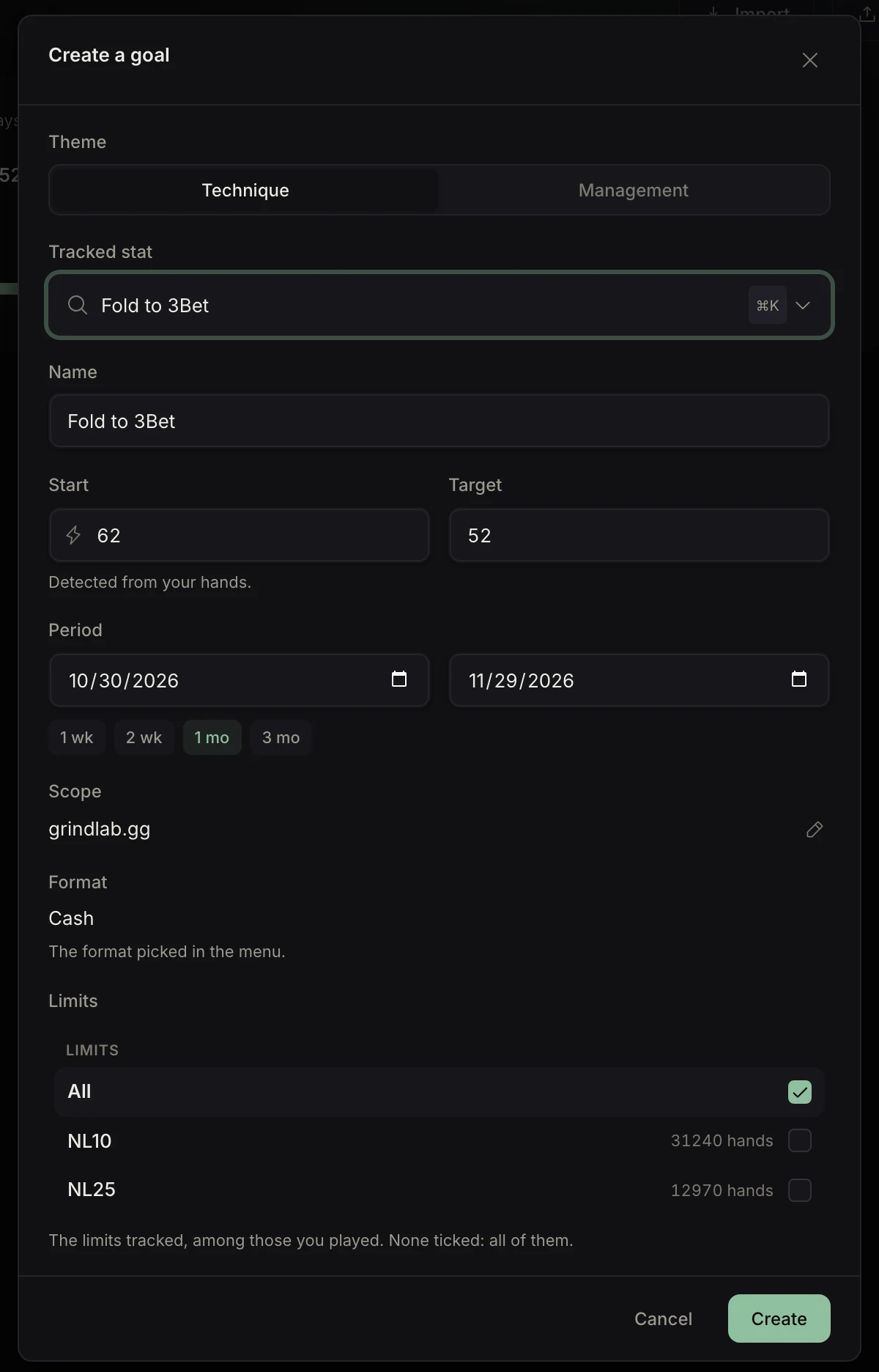
“Create a goal” opens a window that largely fills itself in:
- Theme: Technique (a game statistic) or Management (volume, results, regularity).
- Tracked stat: a search within the theme (⌘K or Ctrl+K).
- Name.
- Start: your current value, read from your hands (indicative if there are too few; a counter starts at 0).
- Target.
- Period: 1 week to 3 months, or specific dates. By default a month for Technique, a week for Management.
- Scope: the heroes whose hands are pooled.
- Format: the one picked in the menu. Then, if you want, the Limits or Buy-ins tracked; none ticked means all of them.
With no goal at all, the page offers three suggestions (hand volume, 3-bet, fold to 3-bet) and “Import a pack”.
What you can track
- Technique: any statistic from the Statistics page. Under 200 opportunities, the goal shows “sample too small”. Open-shove and Call vs shove are tracked in spin only.
- Management: volume (hands, games, sessions, days, time played, average session length, sessions debriefed), results (winrate and winrate EV, net and net EV, red and blue lines), rake in cash, and ROI, ITM, final tables, wins and profit in buy-ins in tournaments or spins. A winrate needs at least 5,000 hands.
Free plan: a single goal, on VPIP, PFR, 3-Bet or a volume counter.
Following your progress
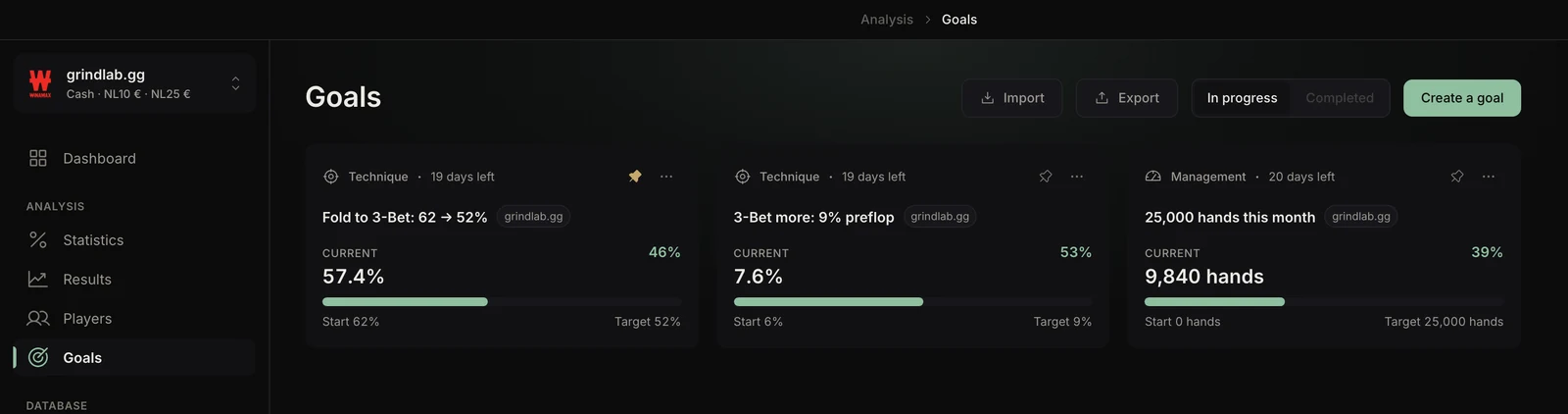
Each goal shows its current value, its start, its target, a bar and the days left. Its status: In progress, Almost, Behind (the deadline will not be met at the current pace), Reached or Time up.
Progress is computed on the server: the same on all your computers. Goals also show on the dashboard (the three most urgent), in the current session and in every recap.
The Completed tab keeps past goals. “Pin” puts a goal forward; its menu holds “Edit”, “Export this goal” and “Delete”. When nothing is in progress, the page sums up and offers to “Start again” a finished goal, with the next target.
Sharing goals as a pack
“Export” saves a .glgoals pack of the goals of the selected format: stat, target, aimed step, length, limits as a hint. Never your heroes, your values or your results.
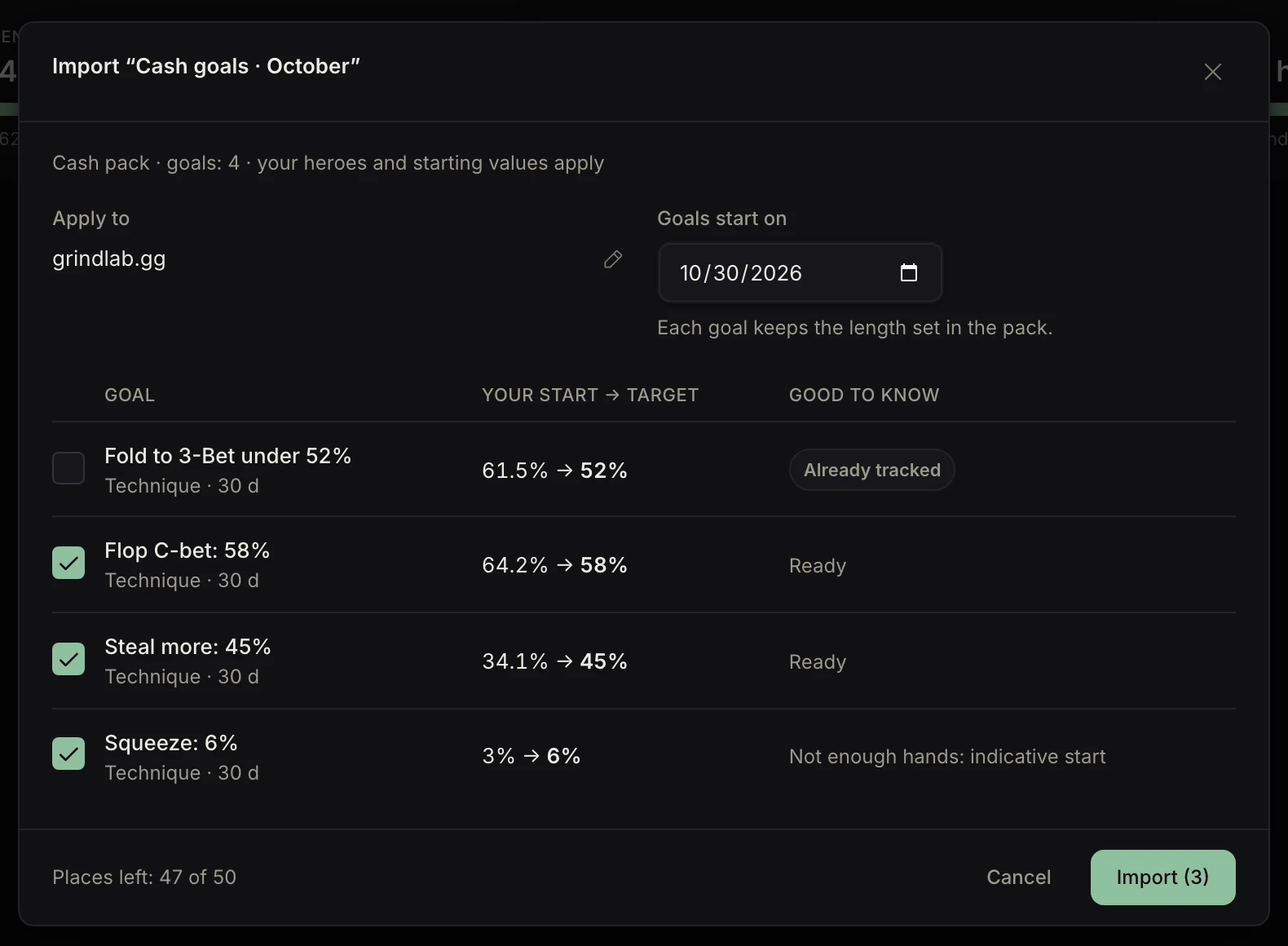
“Import” reads a pack from a coach or a study partner. The preview computes your own start for each goal, flags the ones already tracked and lets you pick the heroes and the start day.
Choosing a good goal
- One statistic at a time. Three technique goals is three things to think about at the table, which means none.
- A realistic target. Ten points of fold to 3-bet in a month, yes; halving it, no.
- Enough hands. Over a short period, pick a preflop statistic.
- A volume goal alongside: technique goals only move if you play.