
Getting started with GrindLab
Create your account, install the Tracker and start discovering the ecosystem.
GrindLab comes down to two tools that share the same account:
- the Lab, in your browser, where you analyze a hand street by street against the range you give your opponent
- the Tracker, a Windows and macOS app that collects your hands while you play and turns them into your results and stats
A hand marked “To review” in the Tracker opens in the Lab already filled in. GrindLab does not look for the GTO play, but for the most profitable one against the opponent in front of you.
Create your account
On grindlab.gg, the Sign Up page offers “Sign up with Google” and “Sign up with Discord”. No password: your account is created the first time you sign in. The Sign In page has the same buttons; the one you used last is marked “Last used”.
The Welcome page
After you sign up, the Welcome page tracks your start in four steps:
- “Account created”.
- “Try Grinder for 14 days”: “Try 14 days free”, or “Later”, which folds the step without blocking anything.
- “Install the Tracker”: download for Windows or macOS.
- “Sign in, import your hands”: with the same account.
If the trial is not available to you (already subscribed, for example), there are three steps. “Go to my Lab” leaves the page; the Tracker stays available on the Tracker page.
Your library starts with a Starter Pack folder: ten cash ranges at 100bb (opens from UTG to SB, big blind defenses), outside the Free plan limit.
Free or Grinder?
The Free plan is free, needs no credit card and does not expire. Nothing is greyed out. When a gesture goes past the plan, a window shows what Grinder unlocks and the action is not carried out; whatever you had entered is kept.
| Free | Grinder | |
|---|---|---|
| Lab: equity, range, board | Unlimited | Unlimited |
| Lab: actions, verdict and EV, sizings, replay, multiway | 1 hand a day, up to the flop | Unlimited |
| Lab: sub-filters, smart filters, “Custom” display | No | Yes |
| Hand of the Day | Full | Full |
| My analyses | Last 10, without actions or verdict | All |
| Ranges | 5 created, 1 file imported | Unlimited |
| Circles | Join | Join, create up to 5 |
| Tracker: hands collected | 10,000 in total | Unlimited |
| Tracker: results and stats | Last 30 days, in BB, gains curve, 7 stats | Everything |
| Tracker: goals | 1 | Up to 50 |
Details:
- The Lab hand counts when you add actions; the counter resets at midnight, your time. Changing the hero's cards or the flop makes it another hand.
- The 7 stats: VPIP, PFR, 3-Bet, C-Bet, Fold to C-Bet, WTSD and W$SD.
- 10,000 hands and 5 ranges, in total. Deleting gives nothing back. At the limit, the Tracker stops collecting; your hands stay available.
The Grinder trial lasts 14 days on your first subscription, once per account. Your card is required, nothing is charged before it ends, and you cancel in one click from your settings. After that, monthly or yearly (cheaper), with a 14-day money-back guarantee. Prices: Pricing page.
Finding your way around
The left menu has four sections: Main (Dashboard), The Lab (“Lab a hand”, “My analyses”, “Ranges”), Community (Circles, Reviews) and Database (“My Hands”, “Games”).
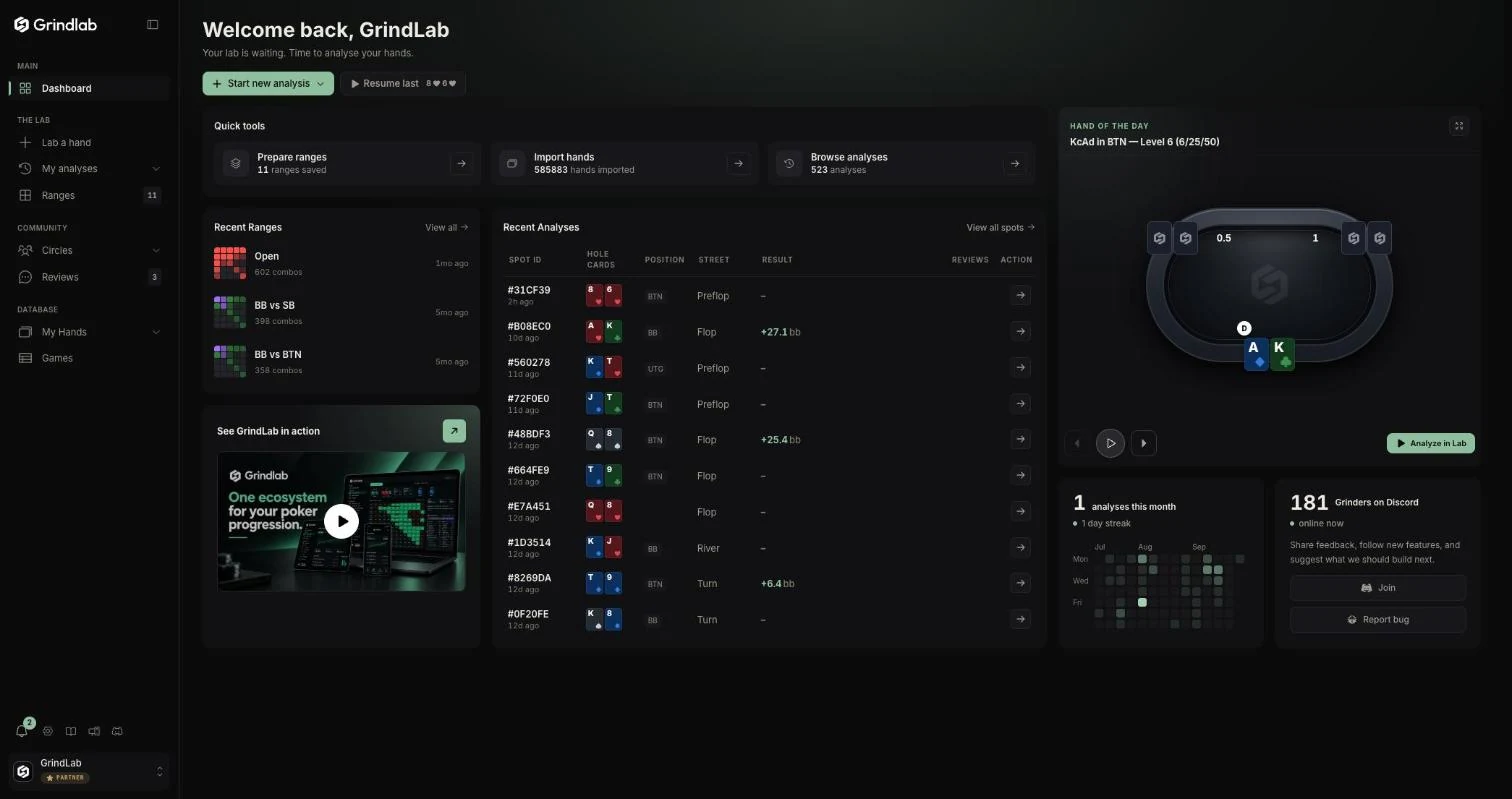
At the bottom of the menu: notifications, settings, this guide, the Tracker page and Discord. The account menu offers “Guided tour”.
The Dashboard gathers “Start new analysis” (“Standard analysis”, “Paste a hand”, “My hands to analyze”, “Reopen an analysis”), your recent analyses and ranges, the Hand of the Day and your activity calendar. The Tracker's menu is covered in The Tracker.
On mobile
The site works in your phone browser: the menu moves into a drawer, opened by the round button at the bottom left. The Tracker installs on a computer.
The Lab is closed while a session is in progress, on all your devices: the analysis shows “Analysis is unavailable during a session”. A session ends after 20 minutes without a new hand, or when you end it. Most rooms forbid decision-support tools during play.
What is next
- Understand a spot first: the Lab.
- Collect your hands first: the Tracker.