
My Hands
Every hand collected by the Tracker, filterable by spot, stake, period, tags and combos, replayable, shareable and ready to open in the Lab.
The Lab handles one hand; My Hands handles your volume. The page exists in the browser (the sidebar's “Database” section) and in the Tracker. Hands arrive through the Tracker, which watches your rooms' folders: see Import & Sync.
The views
In the sidebar, “My Hands” expands into four views, which the page title also switches between: All, Favorites (starred), To analyze (set aside for the Lab) and Shared (via a link or in a circle). Tags pinned to the sidebar are added as folders.
Filtering to find things
- Hero and format (cash, tournament, spin). Under the format, “Limits” (cash) or “Buy-ins” (tournaments) only offers what you played, with the volume.
- “Spot”: type an action, in French or English (“cbet”, “x/r”, “squeeze”…). “Advanced” mode describes a whole line: one action per street, the positions, in position or not, the table size. “Save this filter” puts it in “My filters”.
- Period and tags, to include or exclude.
- “Combos” (“Hands” in the Tracker): a 13×13 grid of starting hands.
Results are in big blinds; clicking a column header sorts the list.
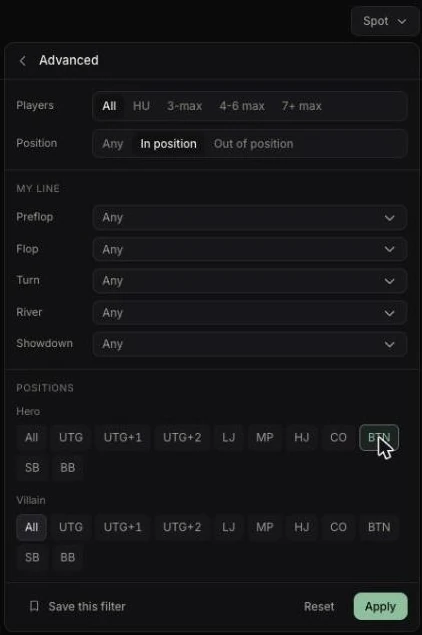
“My big blind defenses against a button open, sorted by result”: that kind of view is what makes a leak visible.
In the Tracker, the “Player” filter opens My hands › screen name: the hands you played against them (“286 hands together”), both seats (“You BTN · them BB”) and their known cards (“Theirs”). See Players.
A hand's menu
Three dots or right-click:
- “Start an analysis”: the hand opens in the Lab, pre-filled
- “Open” (the replayer) and “Open the game”
- “Mark ‘to review’”, “Add to favorites”, tags and notes per street
- “Share” (public link) and “Share to a circle”
- “Select this hand”
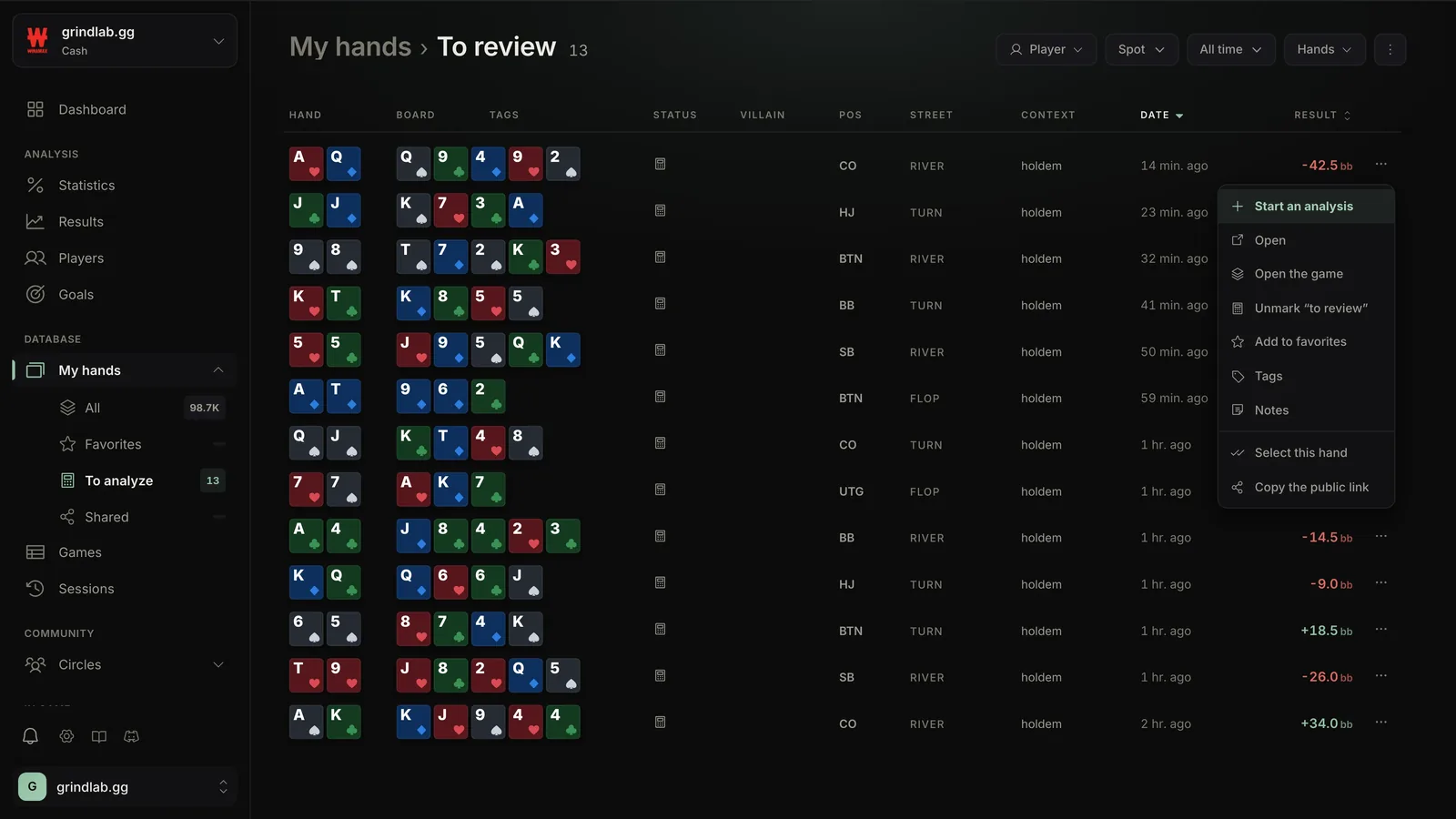
“Start an analysis” is disabled, reason on hover, when your cards are unknown, without a decision of yours, with more than nine players, and during a session (“Analysis is unavailable during a session”).
The replayer and your opponents
Opening a hand launches the replayer (see Replayer).
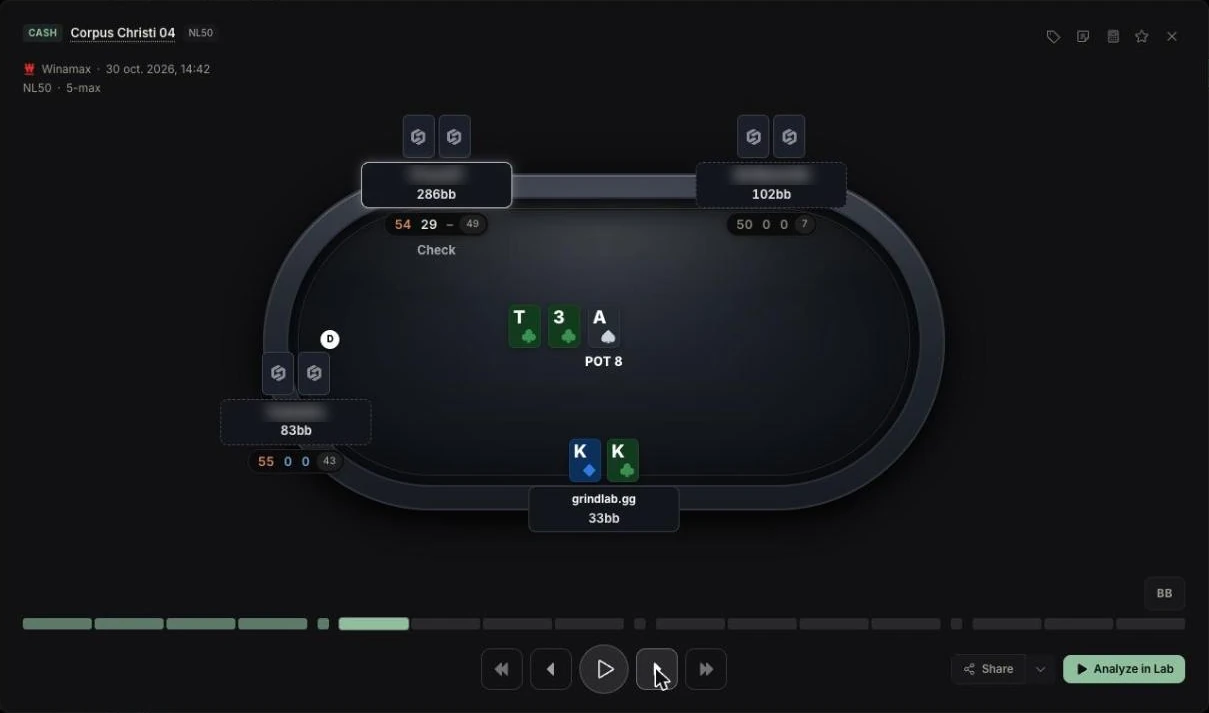
Under each opponent, a plate shows three of their stats as of the date of the hand. A click opens their quick card, where you can write a note. Right-click lets you give them a profile (Whale, Fish, Nit, Reg fish, Reg or your own types) and opens “Detailed stats”. “Hide screen names” also hides the names on your own table.
Acting on a selection
“Select hands” adds checkboxes and an action bar: “Tag”, “Note”, “Status” (favorite, to analyze), “Delete” and “Share” (thirty hands at most), to a “Public link”, a circle (“Post to a cercle”), or both.
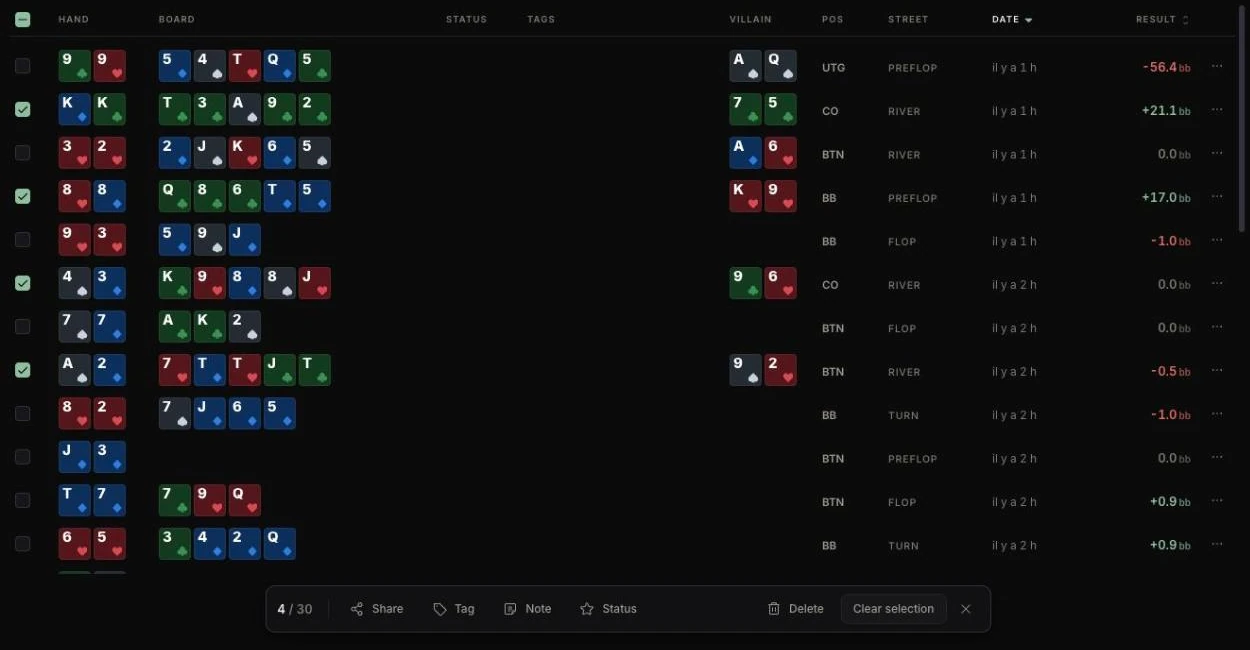
The recipient replays the hands and, if signed in, can review them. For a whole table or tournament: Games.
The “To analyze” queue
Flag the hands where you hesitated with “Mark ‘to review’”. Later, open the “To analyze” view, or in the Lab “New Analysis” then “My hands to analyze”.
On the Free plan
The Free plan collects up to 10,000 hands; past that, the hands already collected stay available. In the Tracker, the “Spot”, “Hands” and “Player” filters, and an opponent's stats in the replayer, open the Grinder upgrade window.