
The Lab replayer
Replay the hand you are analyzing exactly as it went, with the odds and what you knew about your opponents at the time, then switch back to the analysis without losing anything.
A raw hand history is hard to read. The replayer puts it back in motion: board, actions, bets, stacks and positions unfold the way they did at the table.
Analysis ⟷ Replay
At the top of the Lab, two tabs: “Analysis” and “Replay”. Same hand, two angles, and nothing is lost: the replayer opens on the street you were analyzing, and the analysis picks up where you left it.
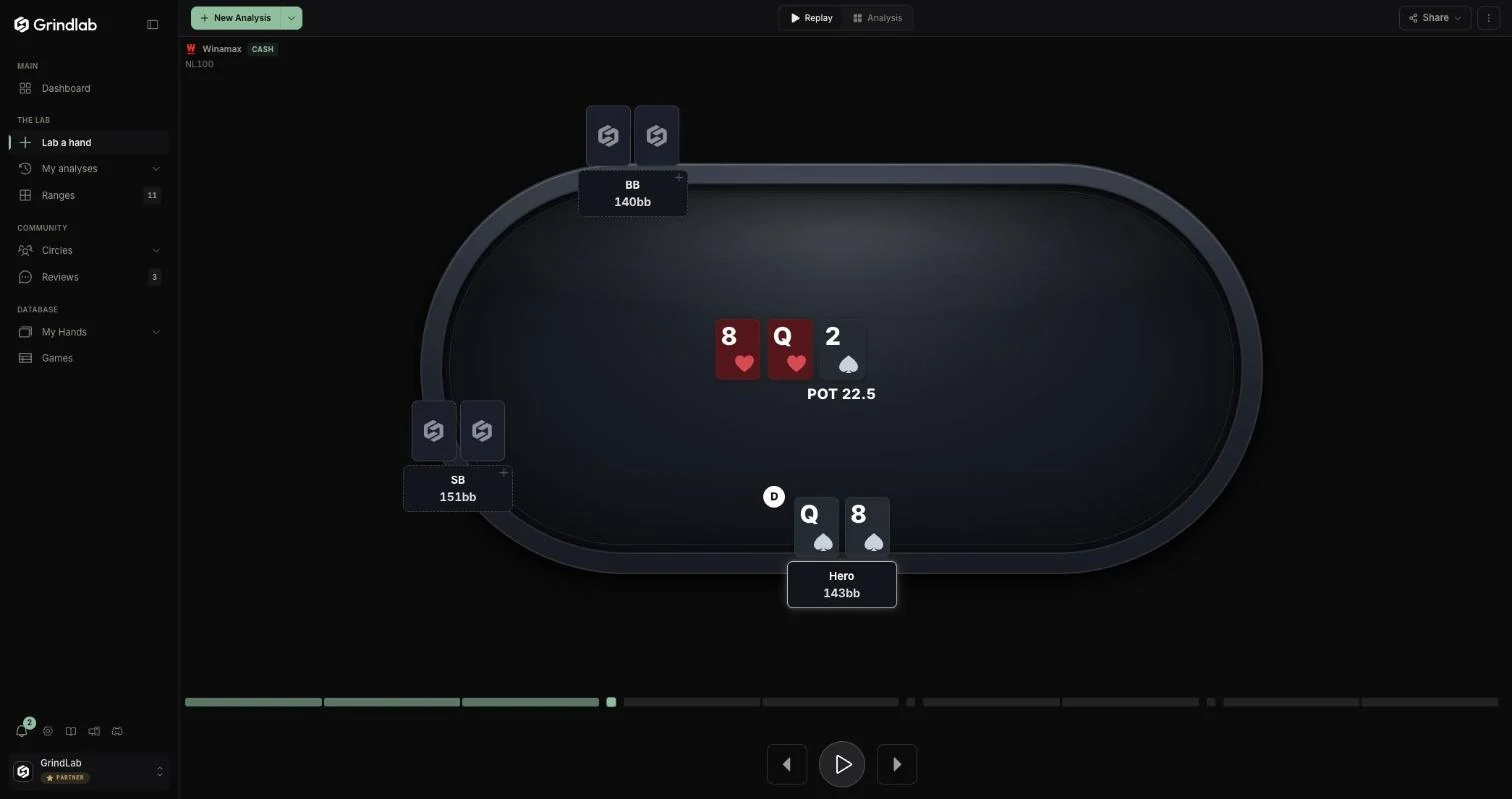
If the hand comes from your hand histories (imported or opened from My Hands), the replayer plays back the real hand: blinds, antes, stacks, screen names, bounties. Otherwise, it rebuilds it from what you entered. Without actions there is nothing to replay: the tab stays greyed out (“Add actions to the hand to replay it”).
The felt keeps the same size from heads-up to 9-max.
Live odds
- Under the pot, “Pot odds” gives the equity needed to call the current bet, for every player facing it.
- At an all-in followed by a showdown, the cards turn over at the call and each seat shows its equity, street after street until the river.
Opponents at the table
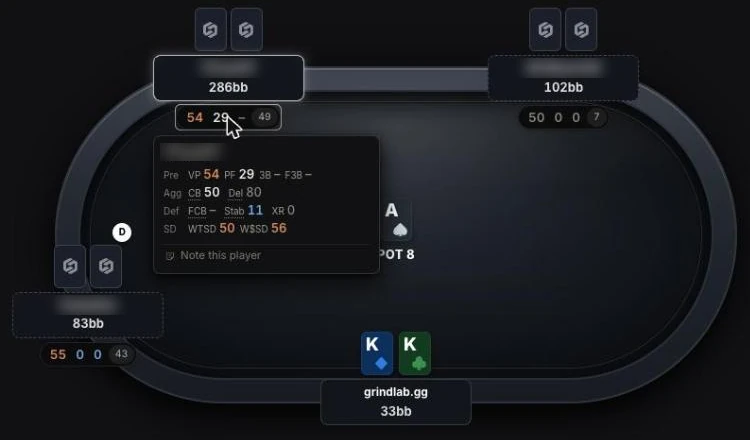
Under each opponent sits a plate that reads like the Tracker's HUD plate: three figures chosen for the format, as they stood on the date of the hand, with the number of hands you played together.
| Format | The three figures |
|---|---|
| Cash | VPIP, PFR, 3-bet |
| Tournament | VPIP, PFR, steal |
| Spin | VPIP, shove, call vs shove |
A figure outside the usual range is tinted; under ten occasions, it stays grey. The player's profile (Fish, Reg, Nit…) sits on the plate, and a small gold notepad marks your note.
- Click the plate: the quick card opens, with their stats and your note, editable in place.
- Right-click the seat: the seat menu, including “Detailed stats”.
What it is for
- Before analyzing: bet sizes, order of actions, who checked behind. That is often where the detail that changes the range comes back.
- Later: a three-week-old hand is readable again in fifteen seconds.
Controls
| Key | Effect |
|---|---|
| ← / → | previous or next action |
| Space | play or pause |
| T | show the timeline |
Notes, sharing, games
Notes are taken in the Analysis tab, one per street (see Analyze a hand). They follow the analysis into My analyses and into your shares.
The My Hands replayer also has a share menu; its “Hide screen names” option hides the names on your own screen too. To step through a whole table or tournament hand by hand, use Games.
On the Free plan
The tab opens on every hand. Playback follows the Lab's rule: free on your one hand of the day, it opens the Grinder window on the following ones (see Analyze a hand).