
Ranges
Build your ranges with actions and frequencies, file them in folders, import them from other tools, export them to PDF and reuse them in the Lab.
Most players have a vague idea of what they open from each position. The Ranges editor forces you to decide, write the decision down and stick to it.
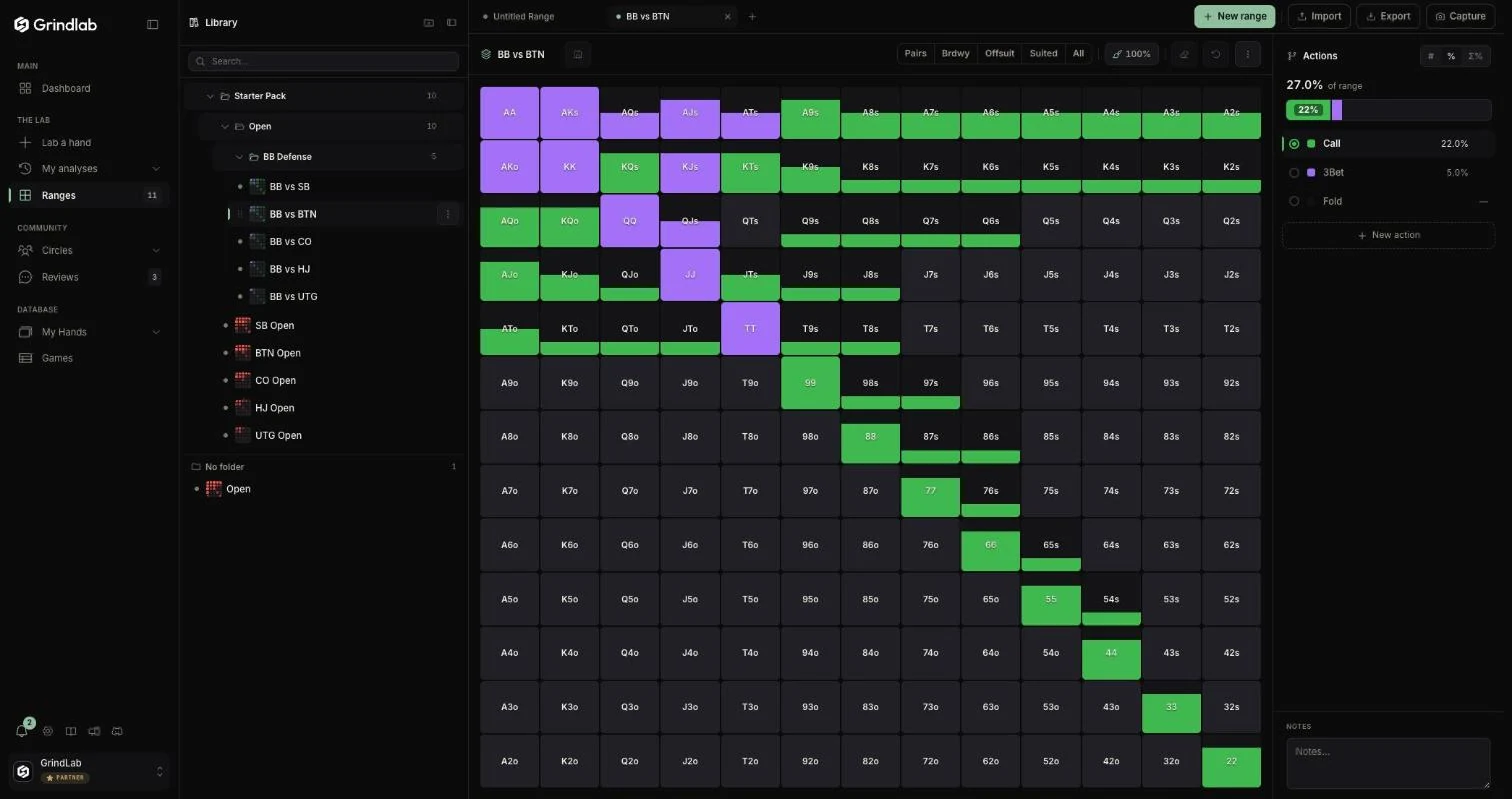
The page reads from left to right: the library, the grid of the open range, the Actions panel.
Building a range
A GrindLab range says what you do with each hand. Each hand is painted with an action, and each action has its color: Open and Call for a big blind defense, Raise, Call and Fold facing an open.
- In the Actions panel, create your actions with “New action” (up to ten, plus Fold) and select the one you paint with.
- Click or drag on the grid. A hand can mix several actions: 50% raise, 50% call.
- The shortcuts above the grid select pairs, broadways, suited, offsuit, or everything.
- The “Weight” brush (5% to 100%) paints a frequency: A5s opened half the time in the hijack is modelled as-is.
- The Actions panel shows each action's weight and the total share (“68.8% of range”); a Notes field keeps your reasoning.
| Shortcut | Effect |
|---|---|
| ⌘/Ctrl + S | save |
| ⌘/Ctrl + Z | undo |
| ⌘/Ctrl + Y (or ⇧ + ⌘/Ctrl + Z) | redo |
“Clear range” empties the grid.
Organizing the library
The library works like a file explorer:
- folders and subfolders (“New Folder”, “New subfolder”), with their range counts
- drag and drop to move, multi-select to move or delete (“Move to…”)
- “Duplicate” a range, or “Duplicate folder” to copy a whole project
- search by name
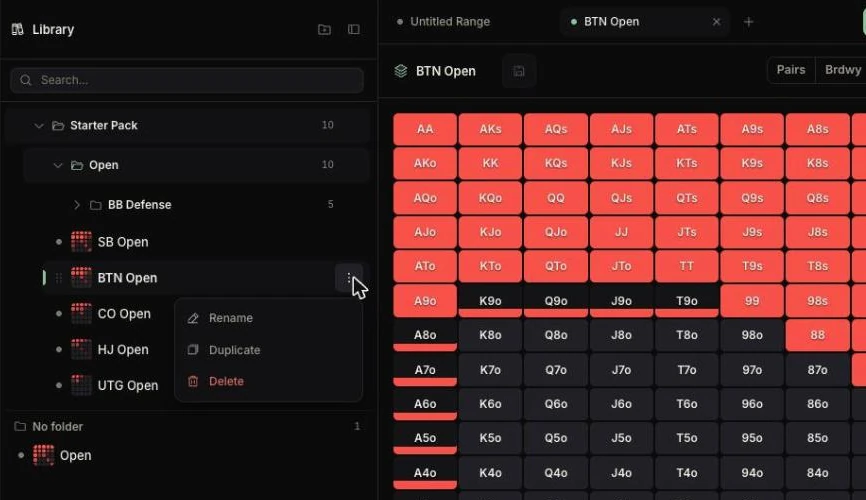
Each open range gets a tab, like in a browser: you compare the big blind defense against the button and against the cutoff without closing anything.
A new account finds a Starter Pack folder: ten 100bb cash ranges, the opens from UTG to SB and the big blind defenses, ready to duplicate and adjust.
Importing from another tool
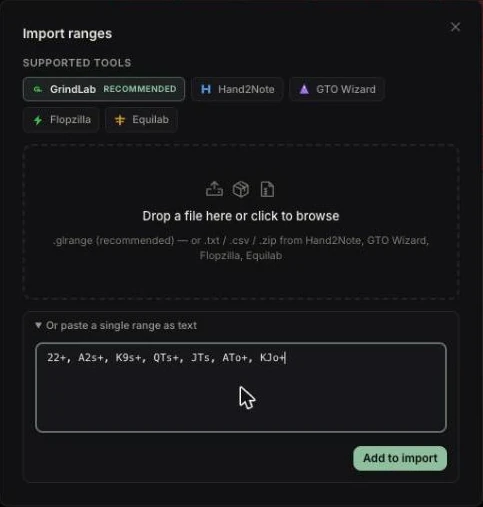
The “Import” button opens a window where you drop a file (or click to browse):
- a GrindLab bundle (
.glrange, recommended), exported from your account or a study partner's - a
.txt,.csvor.zipfile from Hand2Note, GTO Wizard, Flopzilla (including the Flopzilla Pro ranges file) or Equilab
A single range can also be pasted as text (99+, A2s+, KQs…), under “Or paste a single range as text”.
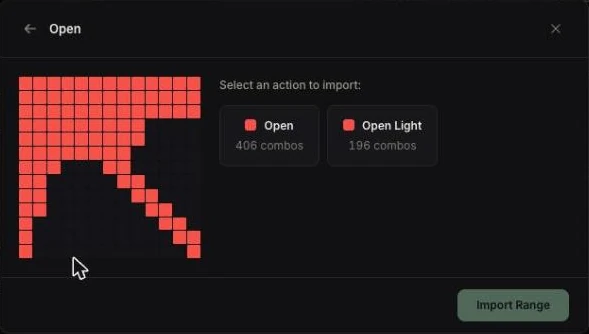
A preview shows the range before import; you choose its name, the action the combos go to and the destination folder.
Exporting and capturing
“Export” offers:
- PDF, one, two or four ranges per page, to review away from the screen
- GrindLab Bundle (.glrange), lossless, up to 200 ranges
“Capture” copies an image of the range (alone or with its actions) to the clipboard and downloads it: the fastest way to post it on Discord.
Using your ranges in the Lab
In the Lab, “Import Range” then “From my ranges” applies a library range to the villain: you pick the range, then the action (a cutoff's open, a big blind's call). “Save to my ranges” does the reverse. See The villain's range.
This is the highest-return use of the page: a “big blind fish” range built once serves every review.
On the Free plan
- Five ranges to create, not counting the Starter Pack. The limit counts creations: deleting a range does not free its slot, and a duplicate counts. The counter shows in the tab bar.
- Beyond that, a new range still opens, but saving it (or duplicating the Starter Pack) opens the Grinder window.
- One range import is on the house; the next one opens the same window.
Start with your opens at the depth you play most: five ranges you use beat forty never reopened.
Maintaining your ranges
One position a week, thirty minutes, cross-checked with your real hands (the “Combos” filter in My Hands, the Tracker's Statistics page). If a hand keeps losing in a spot, it may not belong in the range. Details in Workflows.