
Games
One row per cash table, tournament or spin: find a game, replay it hand by hand, share it via a link or in a circle.
My Hands lists hands. Games groups them the way you played them: one row per cash table, per tournament or per spin. It is the right entry point when the question is “what happened in that tournament?” rather than “where is that hand?”.
The page exists in the browser (the sidebar's “Database” section) and in the Tracker, with the same actions.
What a game is
- In tournaments and spins, a game is a tournament: from your first hand to your elimination or the win.
- In cash, a game is a table, from when you sit down to when you leave. If you leave a table and come back more than 20 minutes later, that is two games.
Several games played without a break of more than 20 minutes make up a session, which the Tracker shows on its Sessions page.
The list
Each row shows the date, the hero and the room, the table or tournament name, the format, the duration, the finishing position, the winnings and the number of hands. The Tracker adds the buy-in, the tournament type (KO, vanilla) and the last hand played.
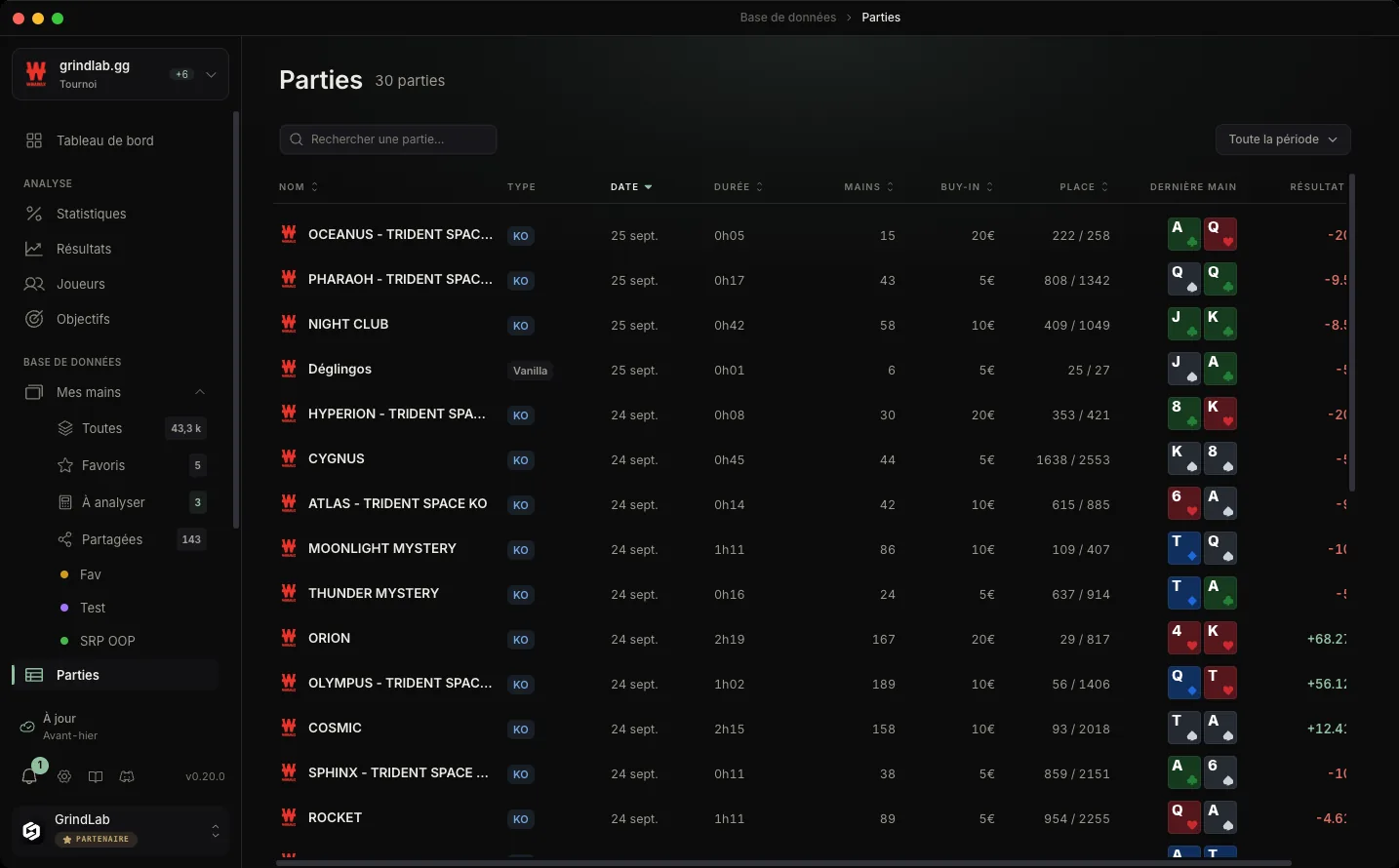
Above the list: the hero, the format (cash, MTT, spin), the period, and a search by name (“Search a game…”). Clicking a column header sorts the list.
A game's actions
A row's menu (the three dots, or a right-click) offers:
- “Open game”: its hands in My Hands, with all the usual filters
- “Create a replayer”: the whole game plays back hand by hand, as it did at the table
- “Create a share link”: a public link to that replayer, copied to the clipboard
- “Share to a circle”: the game in a circle's feed, visible only to its members
- “Delete Game”: deletes its hands, along with their notes, tags and statistics. This is permanent, and a confirmation reminds you of it.
On a long cash session, creating the link takes a few seconds: the row spins until the link is copied.
Sharing a game
This is GrindLab's coaching tool. Your coach or study group opens the link in their browser, no account, no install, and replays the table or tournament hand by hand. Every share shows your opponents' profile, note and stats, unless you hide screen names; in that case, your notes are never shared.
If signed in, the recipient can rate the hands one by one and leave an overall comment: that is a multi-hand review, described in Reviews. A shared session beats a screenshot of three hands pulled out of context.
To turn the link off later, use “Turn the public link off” from the replayer's share menu. Anything sent to a circle is not affected.