
My analyses
Every Lab analysis is saved automatically. How to find it again, filter it, tag it, share it and use it to spot your leaks.
Every Lab analysis goes into My analyses (the sidebar's “The Lab” section). There is no “save” button: the analysis is saved as soon as it has a hero hand, a villain range and an equity result, then on every change.
The list
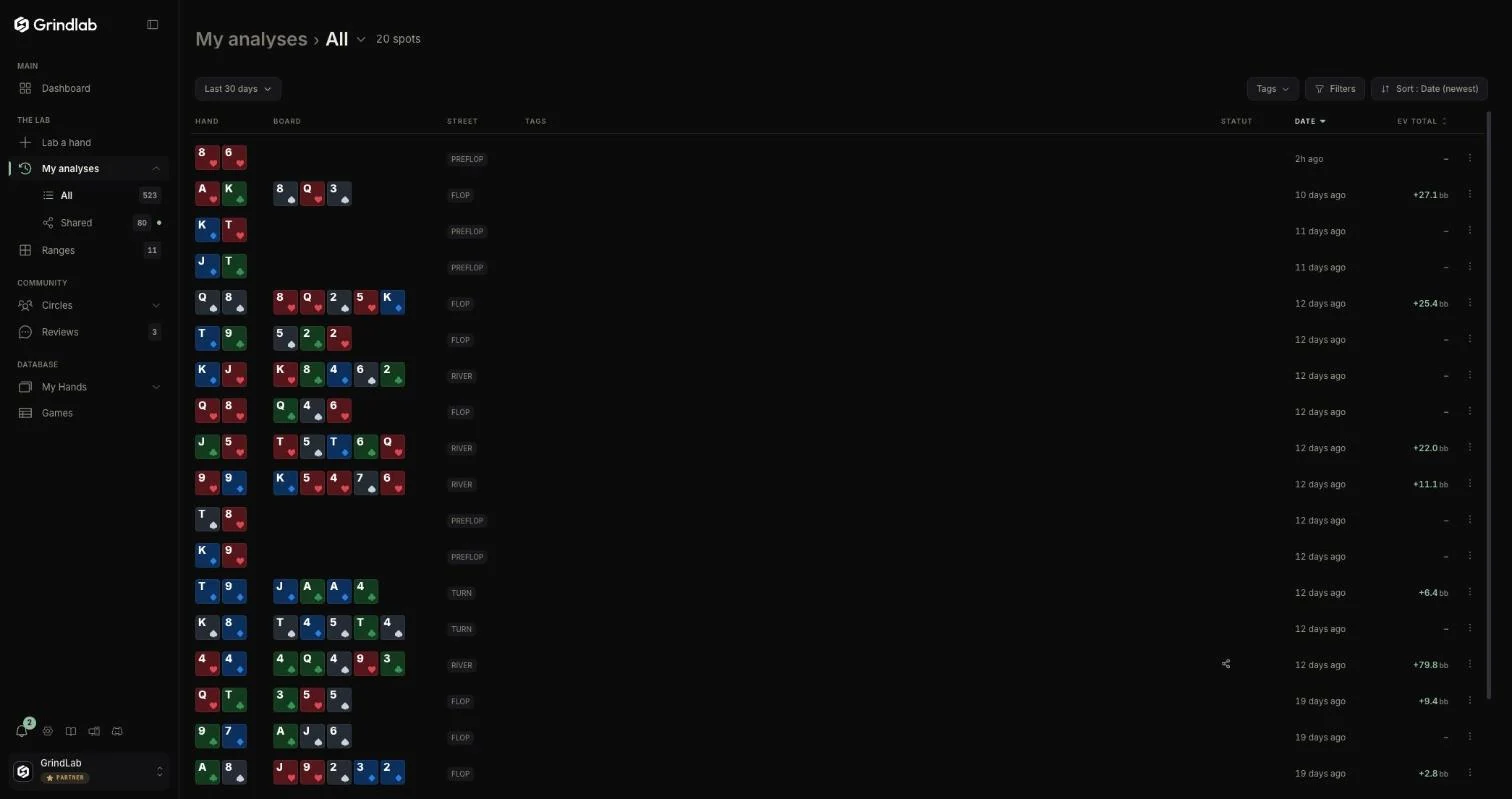
Each row shows the hand, the board, the street, your tags, the sharing status, the date and the total EV of your decisions. One click reopens the analysis in the Lab; “Open in new tab” keeps it next to the list.
| Tool | What it does |
|---|---|
| Period | 7, 30 or 90 days, or “All time” (30 days by default) |
| Tags | include or exclude |
| “Filters” | the street, the result (“Won”, “Lost”) |
| “Sort” | by date, or by EV |
In the sidebar, “My analyses” expands into “All” and “Shared”; a green dot on “Shared” flags unread feedback.
Tags and notes
A row's menu gives access to tags and notes, one per street. Tags are shared with My Hands. “Pin to sidebar” puts a tag under “My analyses”, like a folder.
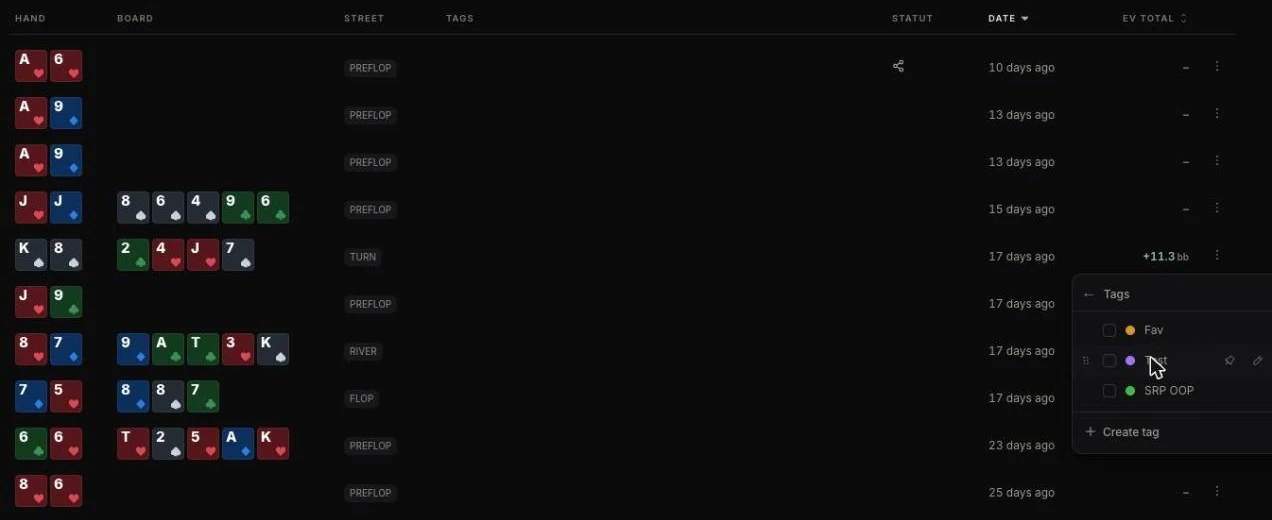
Keep few tags, but ones you filter on: “leak” and “revisit” are enough to start.
Using it to find leaks
After a few weeks, sort by EV from worst to best, or filter on a tag, and read the run in one sitting. Do you overestimate your equity in one type of spot? Do you give the villain too tight a range against big bets? A pattern across twenty analyses is a leak; on one hand, an anecdote.
The Dashboard tracks your study volume: activity calendar, “day streak” and analyses this month.
Sharing an analysis
In the Lab, “Share” (top right) offers:
- a public link, “Share only” or “Share with context”. Context adds, for each opponent, their profile (Fish, Reg, Nit…), their VPIP, PFR, 3-bet and number of hands (pre-filled, editable), and a reasoning note per street.
- “Share to a circle”, for the members of a circle only
- in the “Share with context” window, “Hide screen names” and “Include my player notes”; the hide choice is remembered for your next shares
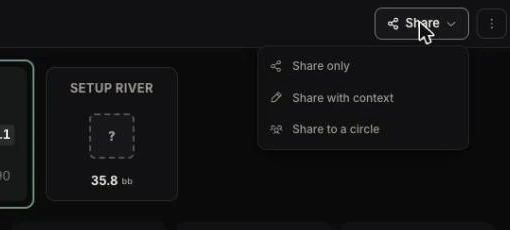
The recipient opens the link without an account and sees the Lab in read-only mode. If signed in, they can “Give your review”, which you read with “See feedback” (see Reviews). “Stop sharing” turns the link off without touching circle shares. For a whole table or tournament: Games.
On the Free plan
Your 10 most recent analyses open; the others stay blurred, and a click opens the upgrade window. A reopened analysis shows its hand, board and ranges; its actions and verdict stay blurred. Editing them takes the Grinder plan.