
The mobile app
GrindLab Mobile, the iPhone and Android app built for live play: sessions and hands typed or dictated at the table, your online and live results, and the link with the Tracker and the Lab.
GrindLab Mobile is GrindLab's app for iPhone and Android. It plugs into the same account as the website and the Tracker: what the Tracker imports on your computer shows up in it, and what you note at the table goes back to the Lab. It is built for live play first, in a casino or a club.
The app is in French for now; the labels below are quoted as the app shows them.
First launch
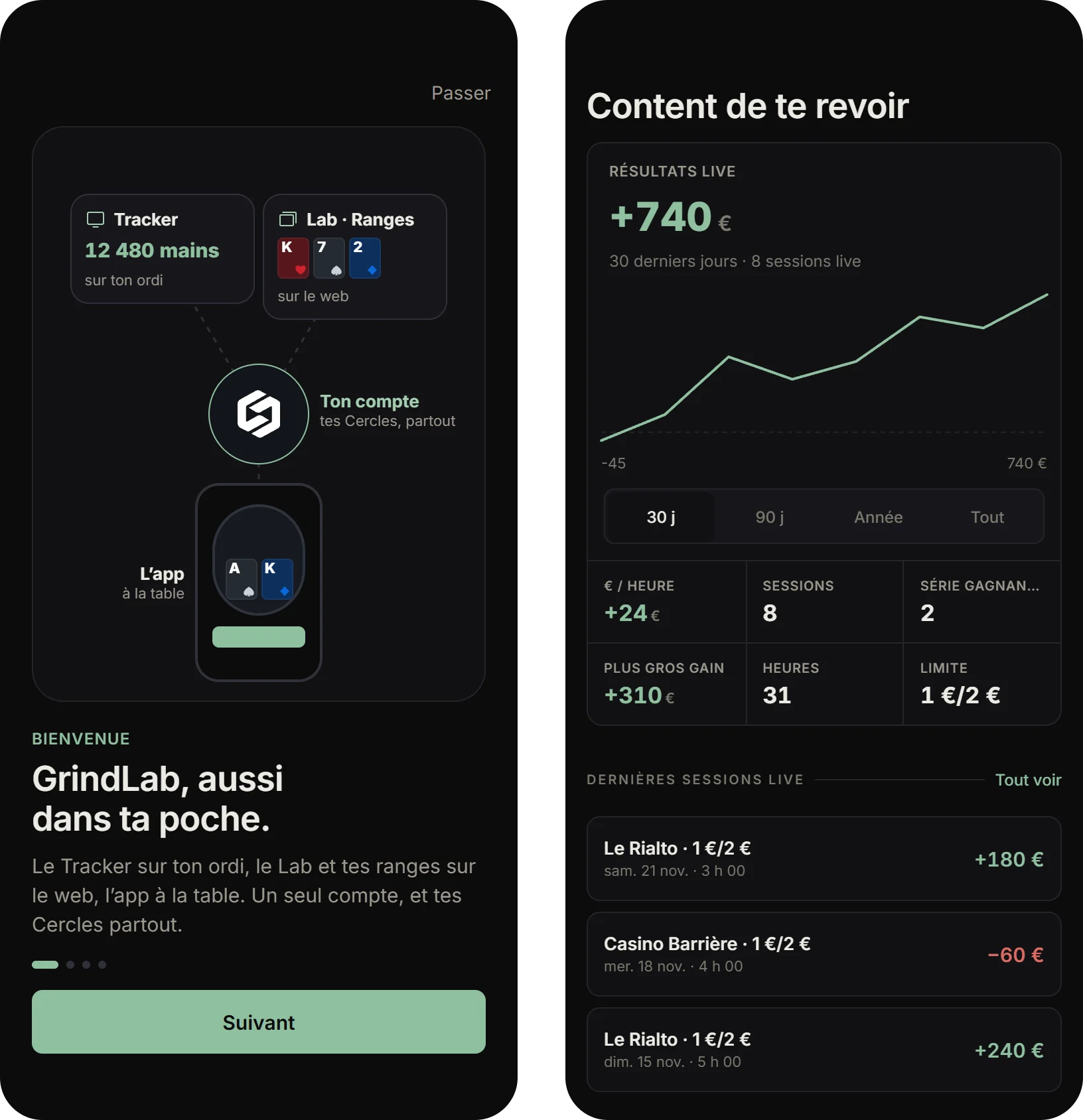
Four screens introduce the app before you sign in: « Bienvenue », « À la table », « Tes résultats » and « Au Lab ». « Passer » skips straight to signing in.
You sign in with « Continuer avec Google », « Continuer avec Discord » or, on iPhone, « Continuer avec Apple ». The app then asks where you play: « En ligne, sur ordinateur » (online), « En live, au casino ou en club » (live), or both. Picking live creates your live hero, under your name.
The bottom bar
- Accueil (home): your results and your latest sessions.
- Historique (history): your sessions and your hands.
- +: type or dictate a hand, start a session, add a past session.
- Cercle: not on mobile yet, and the app says so when you tap it. Your Circles stay on the website.
- Profil: your heroes, the format (Cash, Tournoi, Spin) and the limits shown everywhere in the app, plus « Se déconnecter » (sign out) and « Supprimer mon compte » (delete my account).
Home
The Résultats card shows your result in euros over the chosen period (30 j, 90 j, Année, Tout), its curve and six figures: € / heure, Sessions, Série gagnante, Plus gros gain, then hands and the stake you play most.
The curve of the hands the Tracker imports does not count your live sessions. If you play live, the home therefore draws a second curve, « Résultats live », with one point per finished session, and shows hours played instead of hands. If you play both online and live, the « Online · Live » switch at the top of the card moves between the two. Without the Tracker, the home shows your live results directly.
Below: your latest sessions and, when there are any, your hands to review.
History
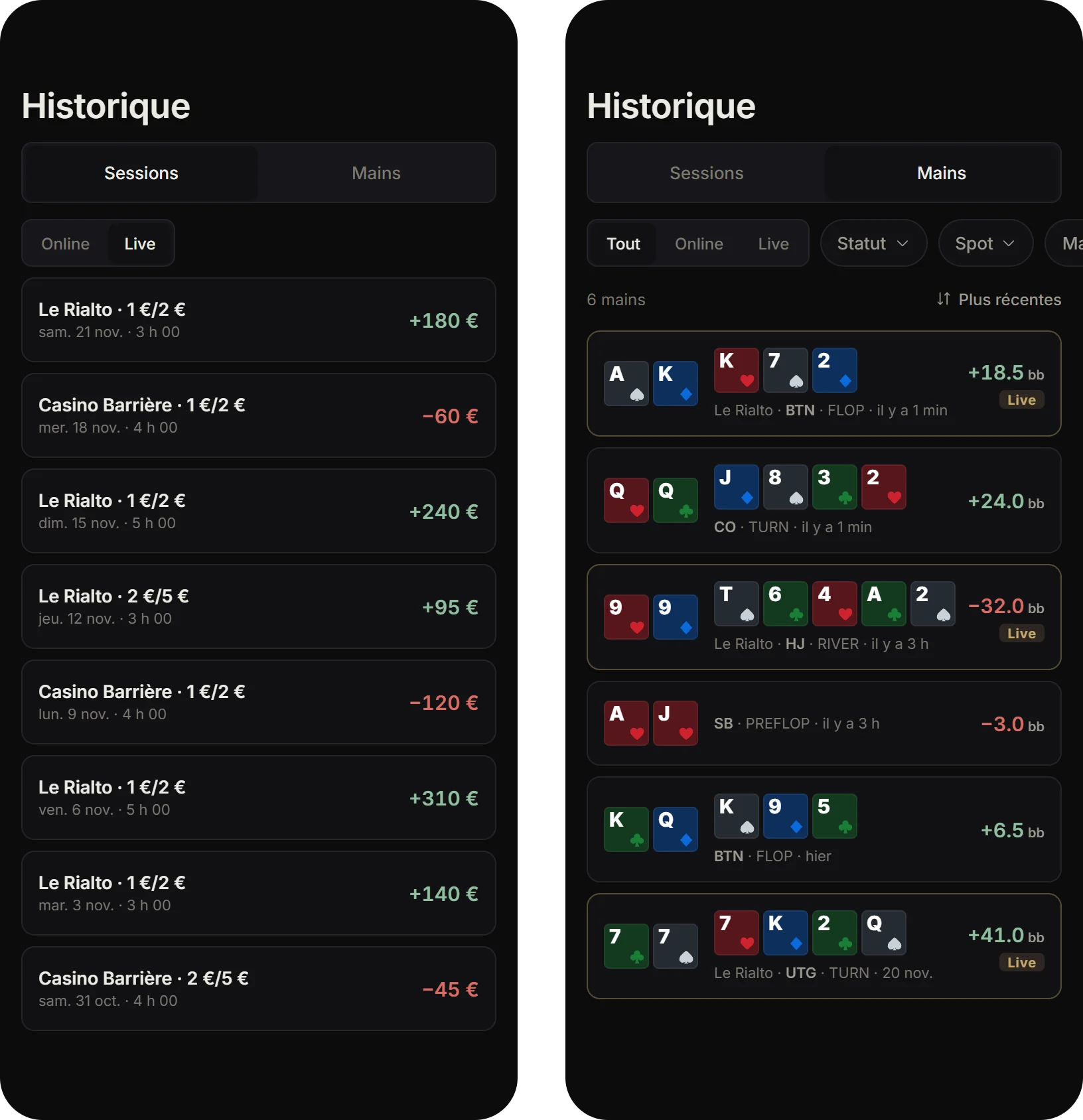
The tab has two sides, Sessions and Mains (hands), with the Tracker's filters: period, room, status, spot, hands, player, tags, sort.
If you play live, a small switch at the head of the filters separates your « Online » sessions from your « Live » ones, and your hands into « Tout » (all), « Online » or « Live ». A live hand has a gold outline, a « Live » tag under its result and the venue in its line. A hand opens in the full-screen replayer.
Live sessions
From the « + », « Lancer une session » starts a session at the venue and blinds you choose, cash or tournament; the setups you play most start in one tap. While it runs, « + Recave » (rebuy, or « + Entrée » in a tournament) and « + Dépense » (expense) keep the count, and « Terminer la session » asks what you leave with. The net result is your cash-out minus your buy-ins and expenses.
« Ajouter une session passée » records a session already played, as one sentence to fill in: venue, blinds, day, times, buy-in and cash-out.
Inside a session, « Ajouter une main » and « Dicter » attach the hand to that session.
Typing a hand
« Saisir une main » has you replay the hand on a table, in three steps.
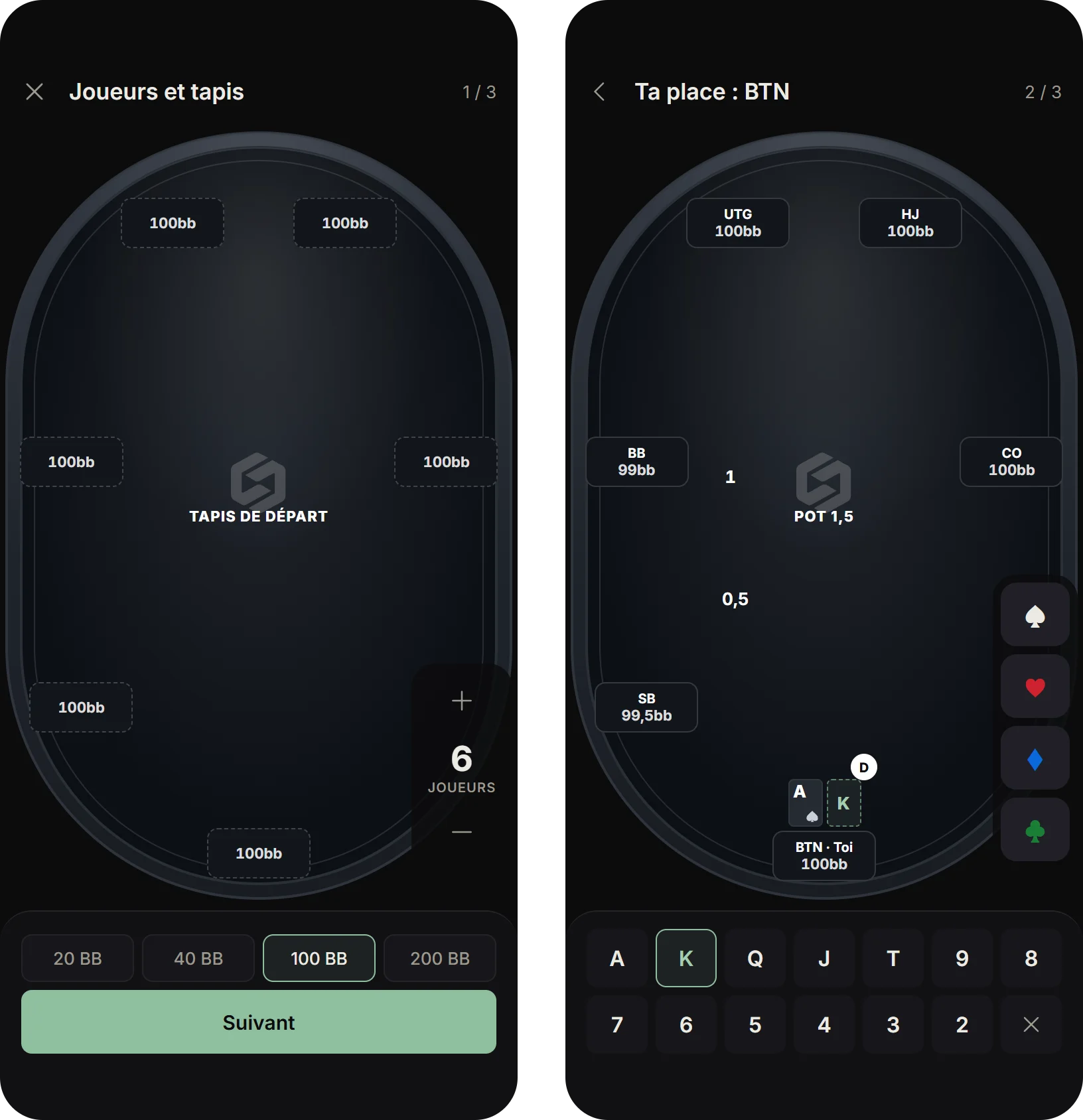
- The table. Set the number of players in the column on the right of the table and the starting stack at the bottom, then « Suivant ». The second screen sets ante, straddle and the real blinds; « Choisir ma place » moves on. Tap a seat to give a player another stack.
- Your seat and cards. Tap a seat to sit there: the seats turn until you are at the bottom. Your cards take two taps: the rank at the bottom, then the suit in the column on the right. « Commencer au » followed by your position starts the hand.
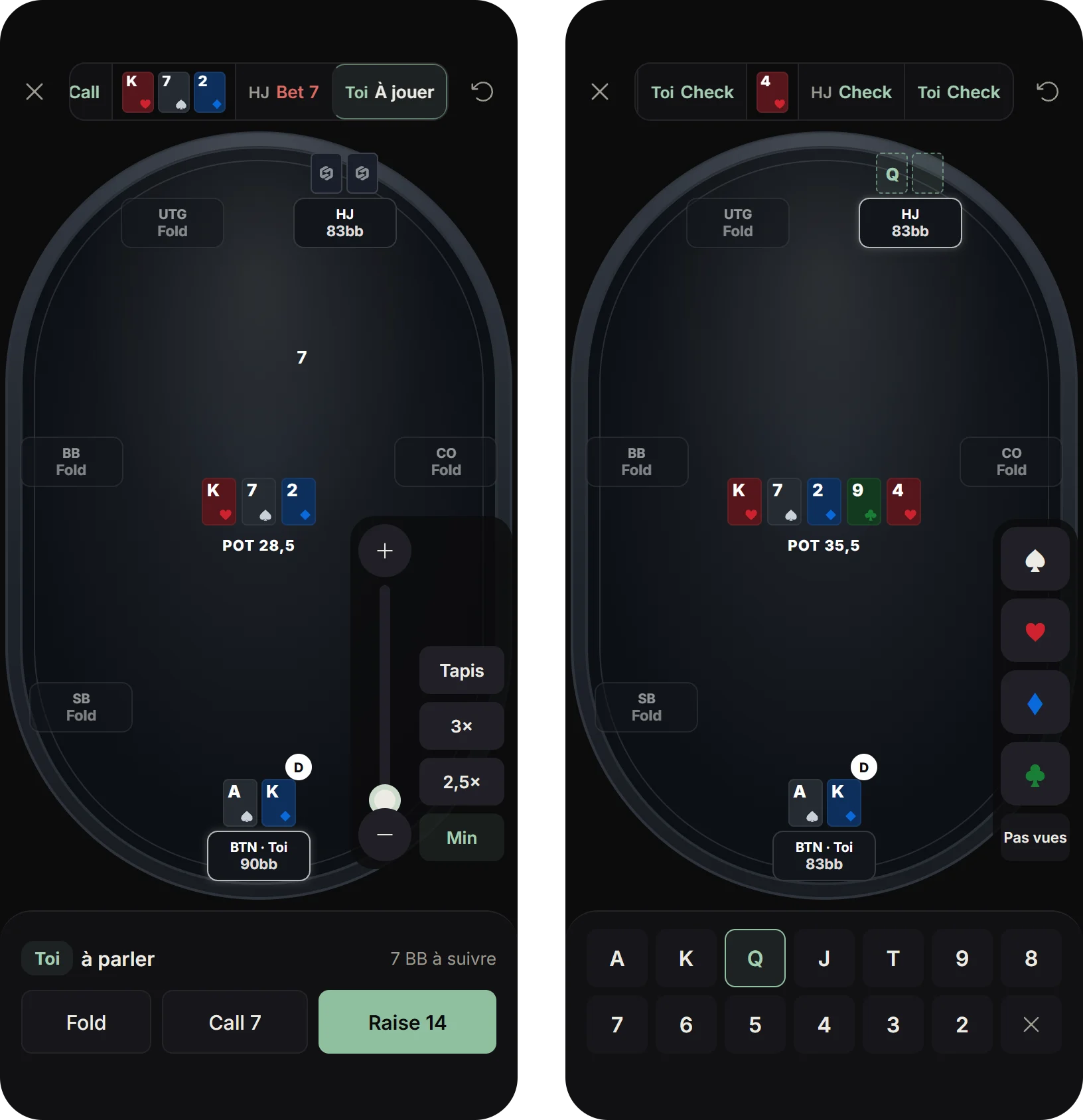
- The action. The player to act lights up. At the bottom: Check or Fold, Call, Bet or Raise. Set the amount on the bar on the right of the table: the slider, ± half a big blind, or the Lab's sizes. Tapping a seat further round passes the ones before it (fold, or check when nothing is owed). On the flop, turn and river, board cards are typed the same way as yours.
At the top, the hand's thread lists each action on one line (« HJ Raise 3 », « BB Fold ») and each street by its cards; scroll it with a finger. Tapping an action takes you back to that moment of the hand without deleting anything: what follows stays, faded. Playing the same action moves on one step; playing another replaces it, and the rest is kept as long as it still fits. « Aller à la fin › » returns to the present. The undo arrow, top right, takes back the last action.
At the end, the app works out who wins and your result in big blinds (and in euros if you gave the real blinds). You can add the cards of the players still in the hand, even when you folded: « Cartes » followed by the position, or « Pas vues » (not seen). « Session » attaches the hand to a session, then « Enregistrer » saves it.
Closing mid-entry offers to keep the hand as a draft: « Reprendre » on the « + » screen reopens it where you left it.
A live hand enters your history and opens in the replayer like a Tracker hand, but it counts in no result or statistic: your live results come from your sessions.
Dictating a hand
« Dicter une main » lets you tell the hand freely, out loud; the microphone must be allowed in the phone's settings. The app reads it, works out what you did not say, then opens it on the entry table. What it worked out is marked in gold: tap it to correct it. The microphone at the top adds a sentence to complete it.
With the Tracker and the Lab
- The Tracker imports your online hands on your computer: your results, sessions and hands appear in the app, with the same filters.
- The Lab is not in the app: a hand marked to review on the phone waits for you in My Hands, to analyse in the Lab on the website.
- The account is the same everywhere: your heroes, tags and notes follow you.