Who Is GrindLab For?
Updated November 22, 2026.
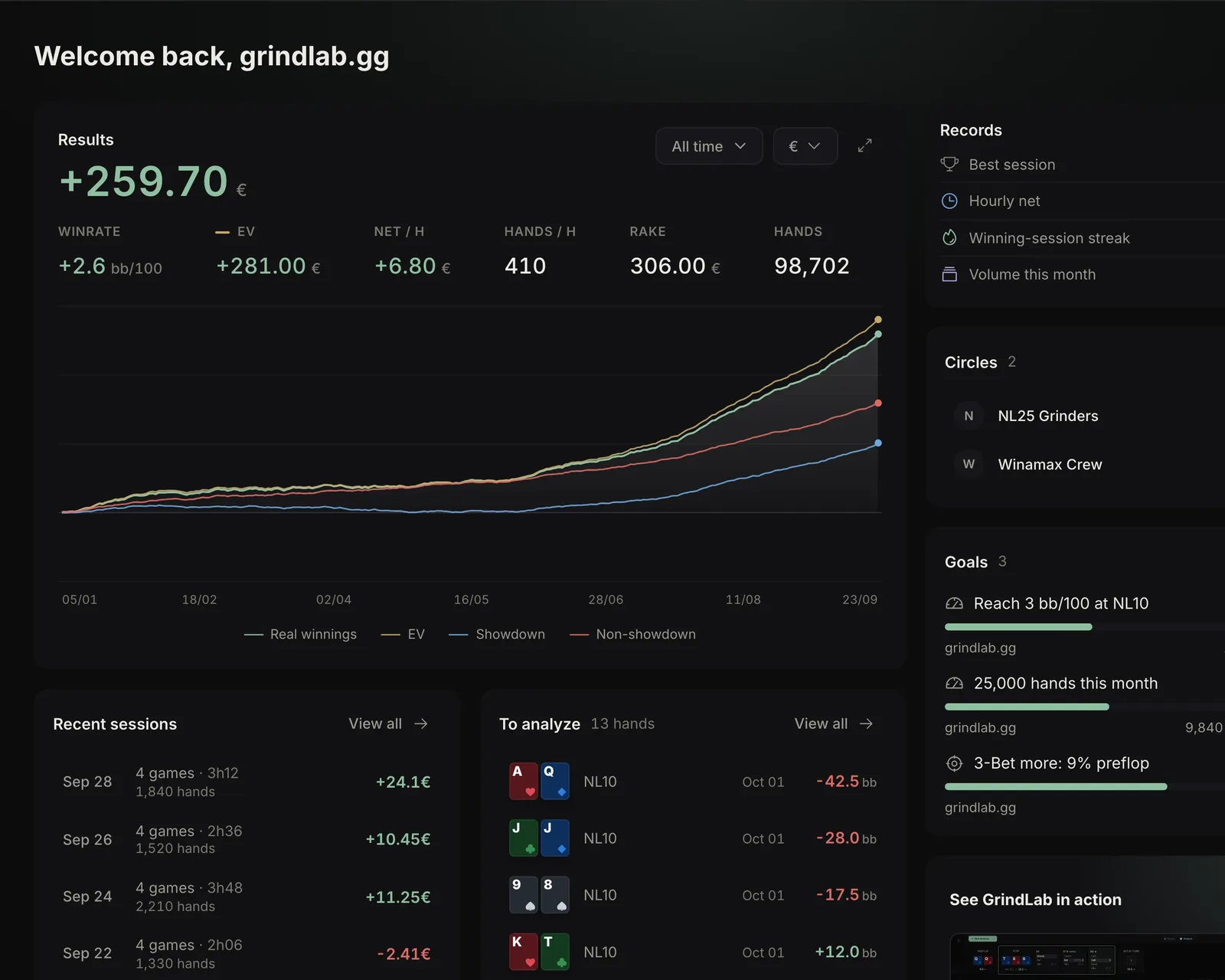
GrindLab is a poker training platform made of two tools on one account: the Lab, in the browser, to analyze a hand against an opponent's range, and GrindLab Tracker, a free app for Windows and macOS that imports your hands and builds your results and stats from them. This page answers the questions we get most often, in one or two sentences, then in detail. For a full overview, read what is GrindLab.
Is GrindLab good for beginners?
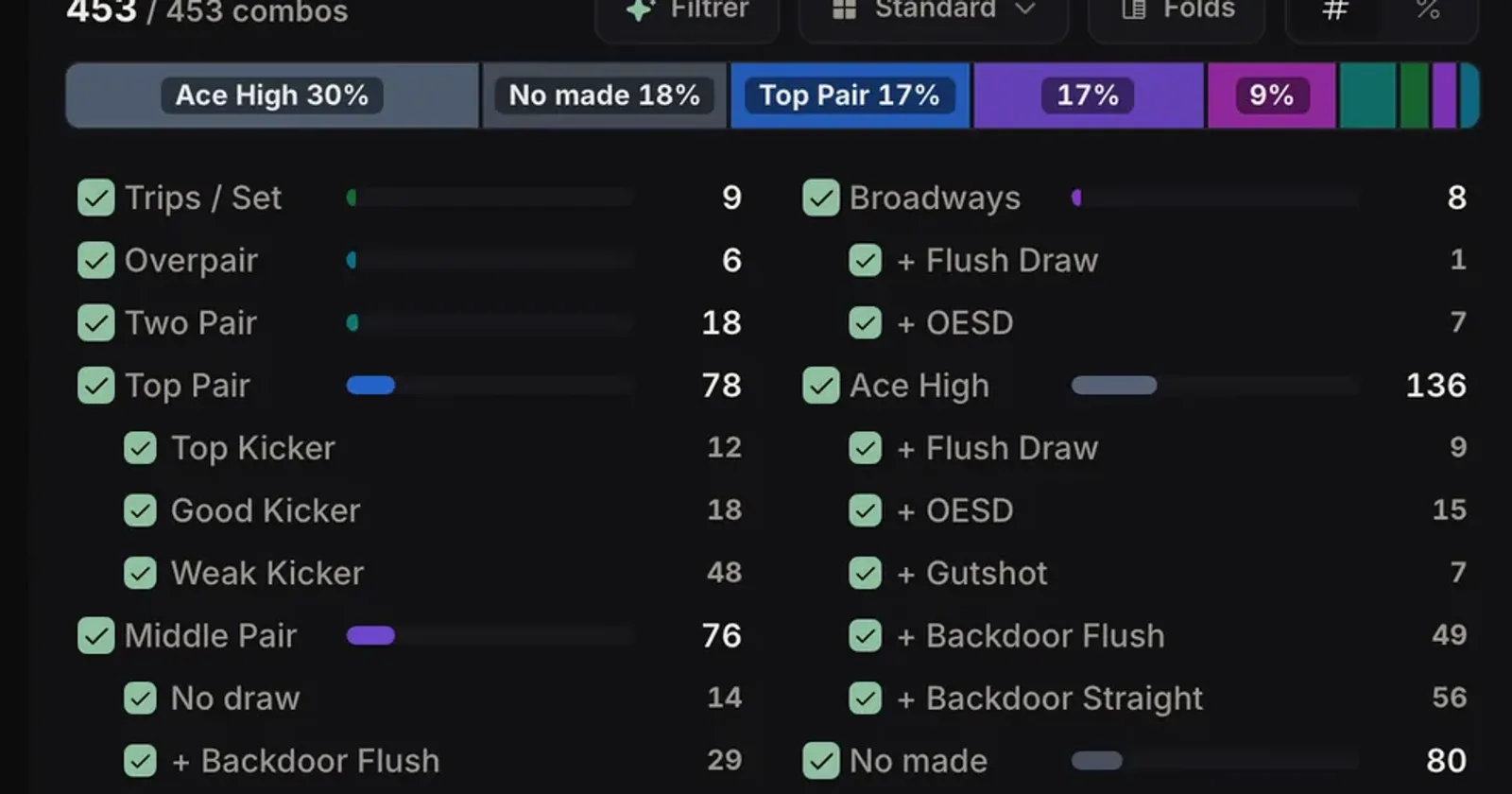
Yes. The Free plan, the Hand of the Day and the public tools that need no account are enough to learn the basics, and the Lab teaches the key skill of modern poker: thinking in ranges rather than single hands.
In practice, a beginner can:
- learn the rules and fundamentals with how to play poker;
- check their instincts with the free equity calculator, without creating an account;
- structure their preflop with the preflop range charts;
- solve the Hand of the Day every day, complete on the Free plan;
- install the Tracker to see their real results, with no hand limit.
The Free plan blocks nothing essential for early progress. Its limits (one full analysis a day, up to the flop) show up when you study a lot of hands.
Is GrindLab free?
Yes, with a Free plan that needs no credit card and has no end date, plus a paid plan, Grinder. Grinder can be tried free for 14 days on the first subscription, monthly or yearly.
A card is required for the trial, nothing is charged before it ends, and you can stop it any time from Settings › Subscription. On top of that comes a 14-day money-back guarantee. Pricing is on the pricing page.
What does the free plan include?
The Tracker with no hand limit, unlimited equity in the Lab, one full analysis a day up to the flop, the Hand of the Day, your last 10 analyses and 5 ranges. The Grinder plan lifts these limits.
| Free | Grinder | |
|---|---|---|
| Lab: equity, range, board | Unlimited | Unlimited |
| Lab: actions, verdict and EV, sizings, replay, multiway | 1 hand a day, up to the flop | Unlimited |
| Lab: sub-filters, smart filters | No | Yes |
| Hand of the Day | Full | Full |
| My analyses | Last 10, without actions or verdict | All |
| Ranges | 5 created, 1 file imported | Unlimited |
| Circles | Join | Join, create up to 5 |
| Tracker: hands imported | Unlimited | Unlimited |
| Tracker: results and stats | Last 30 days, in BB, 7 stats | Everything |
| Tracker: goals | 1 | Up to 50 |
| HUD (Winamax) | No | Yes |
The seven Free stats are VPIP, PFR, 3-Bet, C-Bet, Fold to C-Bet, WTSD and W$SD. Your library also starts with a Starter Pack folder of ten 100bb cash ranges, outside the limit. Details are in the getting started guide.
Do I need the Tracker to use GrindLab?
No for the Lab, ranges and the Hand of the Day, which run in the browser. Yes to work on your own hands played online.
The Tracker follows the folders where your rooms save your hands (Winamax, PokerStars, PMU, Unibet; Betclic via export) and sends them to your account. It runs on Windows 10 and 11 and on macOS 12 or later, Intel and Apple Silicon. A hand marked “to review” in the Tracker opens prefilled in the Lab. Everything is on the GrindLab Tracker page and in the Tracker guide.
The site also works in a phone or tablet browser; the Tracker installs on a computer.
Is the HUD available?
Yes, on Winamax, with the Grinder plan. A plate with three numbers shows under each opponent, a fuller card opens on hover, and you can note a player (typed or by voice) or mark a hand to analyze later.
The three numbers change with the format: VPIP, PFR and 3-bet in cash; VPIP, PFR and steal in tournaments; VPIP, open shove and call versus a shove in Spins. On other rooms, import continues as normal but no HUD is shown; your opponents' stats stay available on the Players page and in the replayer. How it works is described in the GrindLab poker HUD and the HUD guide.
For tournament players (MTT and Spin)
GrindLab suits tournament players for results tracking, studying spots in chips and a format-aware HUD; the Lab has no ICM model.
- The Tracker follows your tournament results: buy-ins, winnings, ROI. See tournament results.
- In MTT mode, the Lab reasons in chips and big blinds, with the ante and an all-in opponent's bounty built into your call.
- For ICM, use the public ICM calculator, and for short stacks, the push/fold charts.
- The theory is in poker tournament strategy and ICM explained.
For cash game players
This is the format where GrindLab is most complete: stats by position and street compared with your field, opponent profiles, a Winamax HUD and EV analysis of marked spots.
The Statistics page compares each frequency with your opponents' at the same format, stake and number of players. Stake filters let you isolate NL10 or NL25. The strategy side is in cash game poker strategy.
For coaches and study groups (circles)
Yes: circles are private or public groups where members share their hands, analyses and games to get reviews.
Joining a circle is free on every plan. Founding one requires the Grinder plan, up to five circles. A circle has at most 50 members. Sharing can hide opponents' screen names. See the circles guide.
For Mac players
Yes: GrindLab Tracker is native on macOS 12 or later, Intel and Apple Silicon, signed and notarized by Apple. The Lab works in any browser. See Mac poker tracker.
What GrindLab does not do
GrindLab is not a solver, shows no HUD outside Winamax and does not support Omaha.
- No solver. The Lab does not compute an equilibrium strategy. It prices the exploitation of a specific opponent. For GTO, see poker solver and GTO vs exploitative.
- No in-game help. The Lab is closed during a live session, because most rooms forbid decision-support tools during play. It reopens 20 minutes after your last hand, or as soon as you end the session.
- No HUD outside Winamax, for now.
- No Omaha: only No-Limit Texas Hold'em, 2 to 9 players.
- No ICM model in the Lab: tournament spots are studied in chips.
To compare GrindLab with other tools, see our overview of the best poker software.
Where to start?
Create an account with Google or Discord, install the Tracker, import your hands, then open a hand that made you hesitate in the Lab. It all takes a few minutes.
- Create your account: no password, sign-in goes through Google or Discord.
- The Welcome page offers to try Grinder for 14 days; “Later” folds the step without blocking anything.
- Install the Tracker on Windows or macOS and sign in with the same account.
- Choose your room and the folder where it saves your hands: the Tracker reads the existing history, then follows new hands.
- After your session, mark a hand “to review” and open it in the Lab.
The full walkthrough, with screenshots, is in import hand histories into GrindLab and the getting started guide.
In short
| You are… | Does GrindLab suit you? |
|---|---|
| A beginner | Yes, the Free plan is enough to start |
| A cash regular on Winamax | Yes, with Grinder for the HUD and every stat |
| A regular on another room | Yes for import and analysis, without a HUD |
| An MTT or Spin player | Yes for tracking and studying in chips; ICM with a separate tool |
| A coach | Yes, with circles (Grinder to found one) |
| A Mac player | Yes, native Tracker |
| An Omaha player | No |
| Looking for a solver | No, GrindLab is not one |
Available in English, French and Spanish: the site, the Tracker and the guide.