Poker Solver: What It Computes, and What It Will Never Tell You
Solvers transformed online poker in a decade. Regulars learned new bet sizes, higher checking frequencies, more balanced bluffs. Yet many players who buy a solver give up within a few weeks: too many trees, too many numbers, little carry-over to the table.
This guide explains what a solver actually computes, how to study with one without drowning, and where its answer stops. It also explains what GrindLab's Lab does, which is not a solver, and why the two approaches complement each other.
What a solver computes
A solver solves a simplified game that you describe. You define:
- both players' starting ranges (for example a button open and a big blind defense);
- the board (one specific flop, or a set of flops);
- the effective stacks and pot size;
- the allowed bet sizes on each street (33% pot, 75%, all-in…).
The program then looks for a Nash equilibrium: a pair of strategies where neither player can win more by changing only their own. The output gives, for every hand in every range, the frequency of each action (bet, check, call, raise, fold) and its EV.
This is what we call a GTO (Game Theory Optimal) strategy. The debate between this approach and exploitation is covered in our article GTO vs exploitative.
What "optimal" means
The word is often misleading. A GTO strategy is unexploitable: in expectation, it does not lose money against any opposing strategy. That does not make it the most profitable strategy against a given opponent. Against a player who never bluffs the river, calling at the equilibrium frequency loses you money: the maximal response is to fold much more often.
In other words, a solver answers "how do I avoid being exploited?". It does not answer "how do I win the most against this player?".
The main solvers
| Solver | Platform | Model | Strength |
|---|---|---|---|
| PioSolver | Windows | Paid license | The reference for building your own trees |
| GTO+ | Windows | Paid license | Approachable interface, good value |
| GTO Wizard | Browser | Limited free tier and subscriptions | Library of precomputed solutions, training |
For a wider view, our overview of the best poker software places solvers next to trackers, equity calculators and range tools. The comparison GrindLab vs GTO Wizard details the difference in approach with the most widely used platform.
How to study with a solver
The classic trap: open a tree, click everywhere, memorize isolated frequencies ("here I check 62%"), and take nothing to the table. A more effective method has five steps.
1. Start from a spot you play often
Pick a frequent spot in your game, for example button versus big blind in a single-raised pot. Your tracker tells you which spots come up most and which cost you most: our article on how to find poker leaks explains how to spot them.
2. Read the overall strategy before the hands
Look first at the aggregate strategy: how often the whole range bets, with which size. Then at the broad hand families (strong hands, draws, medium hands, air). The logic shows at that level, not in the detail of one combo.
3. Look for the why
A high betting frequency on a dry flop comes from range advantage; a small size from having few hands that need protection. If you cannot explain an output in one sentence, you will not be able to reproduce it.
4. Simplify into rules
Turn the solution into playable heuristics: "on a dry high flop, small bet with almost my whole range". A simplified strategy that loses very little EV against equilibrium beats a perfect strategy you never apply.
5. Test it on your real hands
Take real hands from that spot and compare your line with the rule. That is where a tool like the Lab helps: it shows what your decision was worth against the range your opponent really had, given their profile.
An example session
Take a very common spot: you open on the button, the big blind calls, the flop comes king, seven, two of three different suits. A useful session looks like this:
- Overall. The solver bets very often, with a small size. The button's range holds many more strong kings and high pairs than the big blind's, which would often have 3-bet those hands preflop.
- Families. Kings bet for value; medium hands and part of the high cards bet too, to protect their equity and fold out hands that still had outs.
- Rule. "On a dry flop with one high card, small bet with almost the whole range."
- Field. Your tracker shows that your big blind opponents fold far too often to that bet: the rule becomes even more profitable against them.
That session takes twenty minutes and carries straight to the table. A session where you memorize the frequencies of fifty combos does not. For the vocabulary behind this reasoning, see board texture and c-betting in poker.
A solver's limits
A solver is an extraordinary tool, but it has blind spots worth knowing.
It depends on your assumptions. If the starting ranges or bet sizes are poorly chosen, the solution is exact for a game that is not yours.
It assumes a perfect opponent. At low and mid stakes, real opponents deviate a lot from equilibrium. The typical profiles, described in poker player types, make mistakes in predictable directions.
It costs time. Building a tree, waiting for the computation, interpreting: a solver session takes discipline. Without a method, it is wasted time.
It is forbidden in game. Rooms forbid real-time decision-support tools. A solver is used away from the tables, never during a hand.
GrindLab's Lab: the other half of the work
GrindLab's Lab does not compute an equilibrium. It starts from a real hand and a real opponent:
- you build the range you assign to your opponent, combo by combo, with weights, based on their profile;
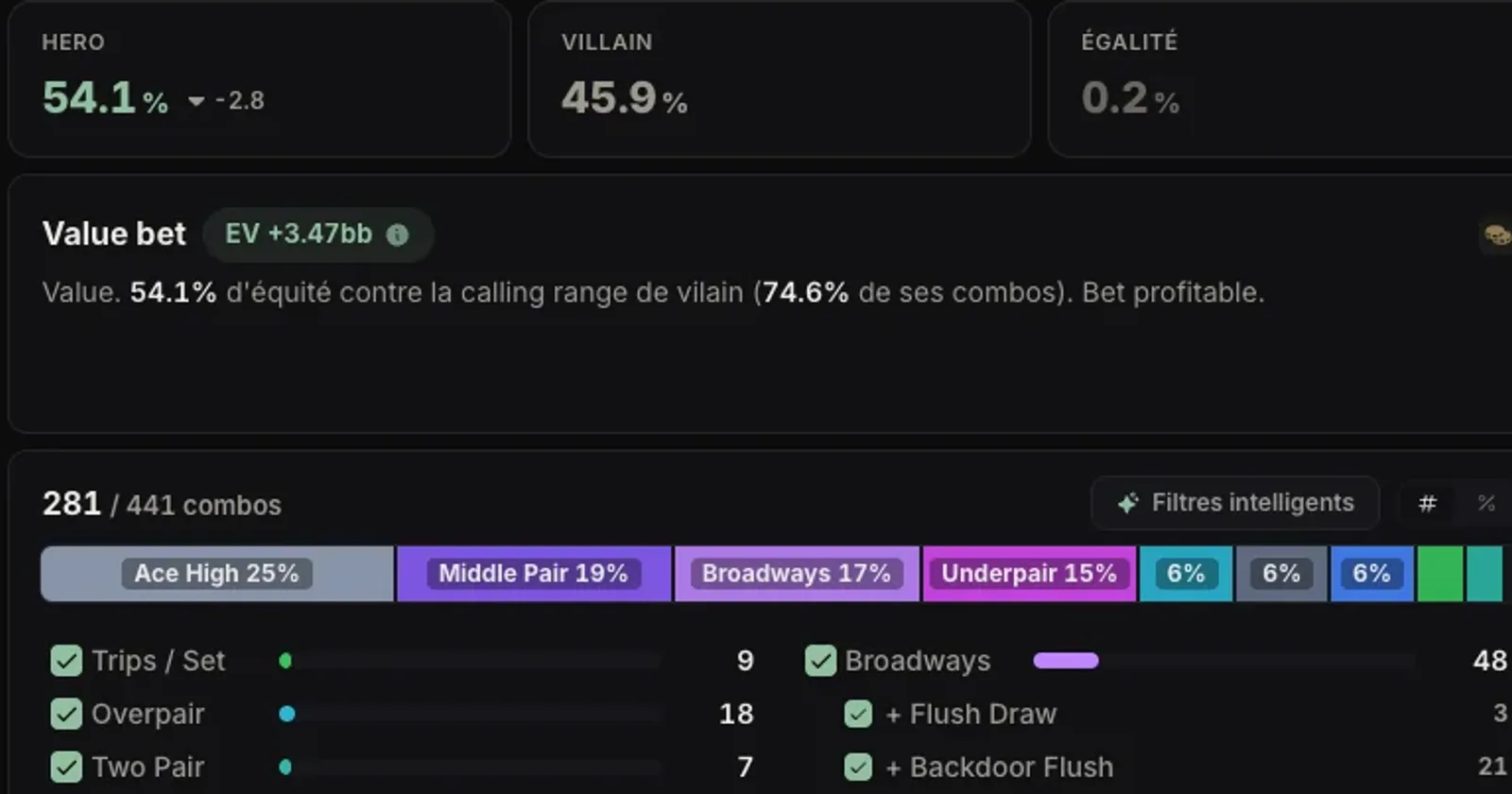
- the Lab computes your hand's equity against that range, street by street (a Monte Carlo simulation over 300,000 deals preflop, exact enumeration of the cards to come postflop);
- it gives a verdict and the EV of each action: call, fold, raise.
That is an exploitative approach: finding the most profitable action against this player, not the unexploitable one. The computation is detailed in GrindLab's EV calculation.
| Solver | GrindLab Lab | |
|---|---|---|
| Question asked | Which strategy is unexploitable? | Which action earns most against this player? |
| Assumption about the opponent | They play equilibrium | They hold the range you assign |
| Starting point | A theoretical spot | A hand you played |
| Output | Frequencies per hand and action | Equity, verdict, EV per action |
| Time per spot | Long (tree, computation, reading) | Short |
How to combine the two
An effective routine uses each tool where it is strong:
- The solver for the map. It teaches you the structure of a frequent spot: which hands bet, which sizes, why.
- The tracker for the terrain. It shows how your opponents deviate from that map: too many calls, not enough folds to c-bets. VPIP and PFR stats are the first read.
- The Lab for the decision. It puts a number on exploiting those deviations in your real hands, against the real opponent.
Do you need a solver to improve?
Not right away. If equity, pot odds and opening ranges are not automatic yet, a solver will bury you under output you cannot read. Start by:
- checking your instincts with the free equity calculator;
- structuring your preflop with the preflop range charts;
- reviewing your sessions with a method, described in how to study poker.
A solver really pays off once you regularly face competent opponents, in cash games from mid stakes or in higher buy-in tournaments, where equilibrium is a necessary defensive baseline.
Key takeaways
- A solver computes an equilibrium strategy for a simplified game you define.
- "Optimal" means unexploitable, not "most profitable against this player".
- Study frequent spots, from the overall strategy to the detail, looking for the why and simplifying into rules.
- GrindLab's Lab is not a solver: it prices the exploitation of a real opponent in a real hand.
- The effective combination: solver for theory, tracker for the terrain, Lab for the decision.