
Free poker tracker: what GrindLab replaces (Hand2Note, PokerTracker, Holdem Manager)
You want to track your hands, see a HUD at the table and understand where you're leaking money, but getting into that world has historically meant a subscription or a license. PokerTracker 4, Holdem Manager 3, Hand2Note: three mature, powerful, paid tools. A lot of players put off buying, or play with nothing for months because they can't justify the cost yet.
The GrindLab Tracker starts from a different premise: bring together, in one free app, what those tools do separately, plus a piece none of them ship natively, an equity and EV analysis tool. This article lays out honestly what GrindLab replaces, what it doesn't do as well as the veterans yet, and who it's already enough for.
What a poker tracker actually does
On paper, a poker tracker has one simple job: read your hand histories, extract stats from them (action frequencies, results, tendencies by position), and hand them back to you two ways. Live, through a HUD (Heads-Up Display) that pins numbers next to each seat while you play. After the fact, through a dashboard where you check your curves, sessions and aggregated stats.
It's an external memory. Nobody keeps fifteen opponents' VPIP in their head, and nobody remembers their own winrate by position over the last three months with any precision without a tool computing it for them. The tracker does that work for you, continuously, while you play.
The established paid trackers: PokerTracker 4, Holdem Manager 3, Hand2Note
These three names have dominated the market for years, and that's not an accident. They're mature tools, built and refined over time by teams that had the runway to dig into every corner of a serious player's needs.
Their shared strength is postflop depth. Where a basic HUD gives you three or four numbers, these tools ship massive stat libraries: c-bet by board texture, fold-to-c-bet by street, check-raise frequencies, overbet frequencies, river aggression, often broken down by context (single-raised pot, 3-bet pot, position). Add configurable popups that surface a dozen stat lines on hover, and database filters that can isolate almost any spot inside a multi-million-hand history.
That's a level of customization few newer tools match today. If your edge lives in fine postflop aggression lines against regs you face hundreds of times, these tools remain a legitimate reference.
What GrindLab bundles into one free app
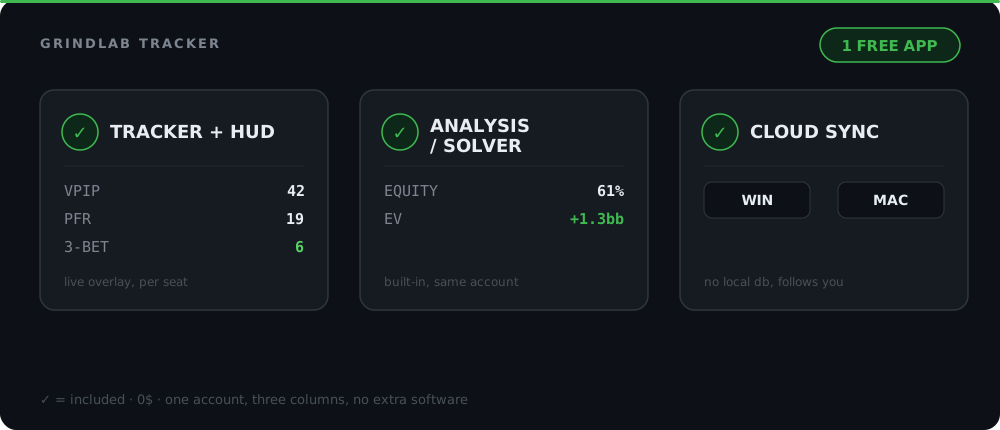
The GrindLab Tracker isn't trying to copy Hand2Note's stat library line by line. It bundles the core of a player's workflow, from tracking to analysis, into one free, cloud-synced app.
Automatic import, no database to manage
The folder watcher keeps an eye on your hand histories continuously and syncs everything to the cloud. No local database to back up, migrate, or repair after an OS update. The full import flow is covered in the dedicated article on importing hands.
A live HUD at the table
GrindLab's HUD shows VPIP, PFR and 3-Bet right above each opponent's seat while you play, computed from your own imported hands. No third-party database, no external datamining.
Read the opponent from their stat line
A Stats page and session tracking
After the session, GrindLab's Stats page pulls together your frequencies, winnings curves and tournament results. Your sessions group themselves automatically, with no export files to reconcile. Whether you play cash games or MTTs, the same page centralizes your volume, your winrate and your results over any period, with no need to juggle two separate tools for the two formats.
In practice, that means last night's session, with its three cash tables and the tournament you finished at the final table, shows up grouped automatically in your history, with the right numbers in the right place: bb/100 on the cash side, finish and prize on the tournament side.
Opponent profiles that build alongside you
Every opponent you face more than once gets a profile that sharpens hand after hand, the same principle as the villain tracker in the Lab: your own data, never a purchased database.
And the Lab, the piece that's missing elsewhere
This is the real structural difference. None of the three tools above ship a native equity or EV calculator: you need a separate solver or calculator for that. In GrindLab, you send a hand straight from the tracker to the Lab, set the villain's range, and read the EV of your decision without switching app or account.
The comparison table
Without inventing license figures you can verify yourself on each vendor's site, here's how the axes that actually matter when choosing break down:
| Criterion | GrindLab | PokerTracker 4 | Holdem Manager 3 | Hand2Note |
|---|---|---|---|---|
| Price | Free | Paid (license) | Paid (license) | Paid (subscription) |
| Live HUD | Yes, VPIP / PFR / 3-Bet | Yes, highly configurable | Yes, highly configurable | Yes, highly configurable |
| Postflop stat depth | Preflop-focused for now | Very large library | Very large library | Very large library + advanced popups |
| Built-in equity / EV analysis | Yes, the Lab (equity, EV, ranges) | No, third-party tool needed | No, third-party tool needed | No, third-party tool needed |
| Cloud sync | Native | Local database | Local database | Local database |
| Platforms | Windows + Mac | Mainly Windows | Mainly Windows | Mainly Windows |
| Language | FR + EN | English | English | English |
Where GrindLab is honest about its limits
No empty promises here: GrindLab is a young tool up against software with years of iteration behind it. Two limits worth naming today.
First, the HUD and stats are still preflop-focused. VPIP, PFR, 3-Bet cover the essentials of a quick read, but if you want fold-to-c-bet by board texture displayed live at the table, that's not there yet. Second, the stat library is smaller than the established tools, which offer dozens of configurable metrics and detailed popups built on years of user feedback.
GrindLab's edge isn't beating these tools on their own turf (configurable postflop depth). It's offering the best free, all-in-one, cloud option for a player who wants to track and analyse without juggling multiple apps or pulling out a credit card. If you need a point-by-point comparison, the detailed GrindLab vs Hand2Note head-to-head digs deeper into every axis.
Calculate hand equity, pot odds, and compare ranges with GrindLab's free equity engine
Try it free →Cloud, no local database to maintain
The other structural difference is less visible but matters a lot day to day. Classic desktop trackers store everything in a local database on your machine: you back it up, migrate it if you switch computers, manage its size as it grows over the months. The GrindLab Tracker syncs your hands to the cloud automatically. Switch laptops, move from Windows to Mac, and your hands, sessions and opponent profiles follow you with no export or re-import.
That's also what makes the app genuinely cross-platform. The historical tools were mostly built Windows-first, with Mac support often running through a virtual machine. GrindLab runs natively on both, in French and English.
Which tool for which player
If you're just starting to track your play, or you want a single free tool that covers HUD, stats, sessions and analysis without spending anything, the GrindLab Tracker covers that end to end, for free. It's also the best entry point to build a real study routine: import, spot a shaky decision, analyse it in the Lab, come back to the table with a clearer plan.
If your volume is already high and your edge depends on very fine postflop reads against recurring regs, with detailed popups and an extensive stat library, the established tools keep a real edge on that specific front. Nothing stops you from running GrindLab for analysis and tracking your winrate in bb/100 alongside an older tracker for the sharpest HUD.
For a player who multi-tables heavily, having everything go through a single cloud sync also simplifies the logistics: no license to duplicate on a second computer, no local database to copy over if you sometimes play from a laptop and sometimes from your main rig. Your account, your hands and your opponent profiles stay the same everywhere.
Conclusion
PokerTracker 4, Holdem Manager 3 and Hand2Note remain solid references on postflop depth and HUD customization, built on years of iteration. The GrindLab Tracker isn't trying to beat them on their own turf. It offers something else: the best free, all-in-one option that bundles tracking, HUD, stats, sessions, opponent profiles and equity/EV analysis into a single cloud app, on Windows and Mac.
Three things to keep in mind:
- One free tool for the whole workflow. Import, HUD, stats and analysis in the same place, no license to buy.
- Honest about its current limits. Preflop-first HUD and stats, a smaller library than the market veterans.
- The piece the others don't have: the Lab. Send a hand from the tracker straight to an EV calculation, no app switching.
Download the GrindLab Tracker and import your next session, or jump straight into the Lab to test an EV calculation on a hand you already have in mind.